
Project blueprint
Magnolia — Property Management Platform
A rental platform for property managers: a public website where people browse available homes and open a page for any property or unit, resident and owner access points, and a management system a team runs the whole portfolio from.
A rental website is one of the things Magnolia produces, not the whole of what it is. The rest is the system a team runs it with, and the structure underneath that keeps the two in step.
A property business should own the structure of its own information — not rent it from whichever property-management vendor it signed with.
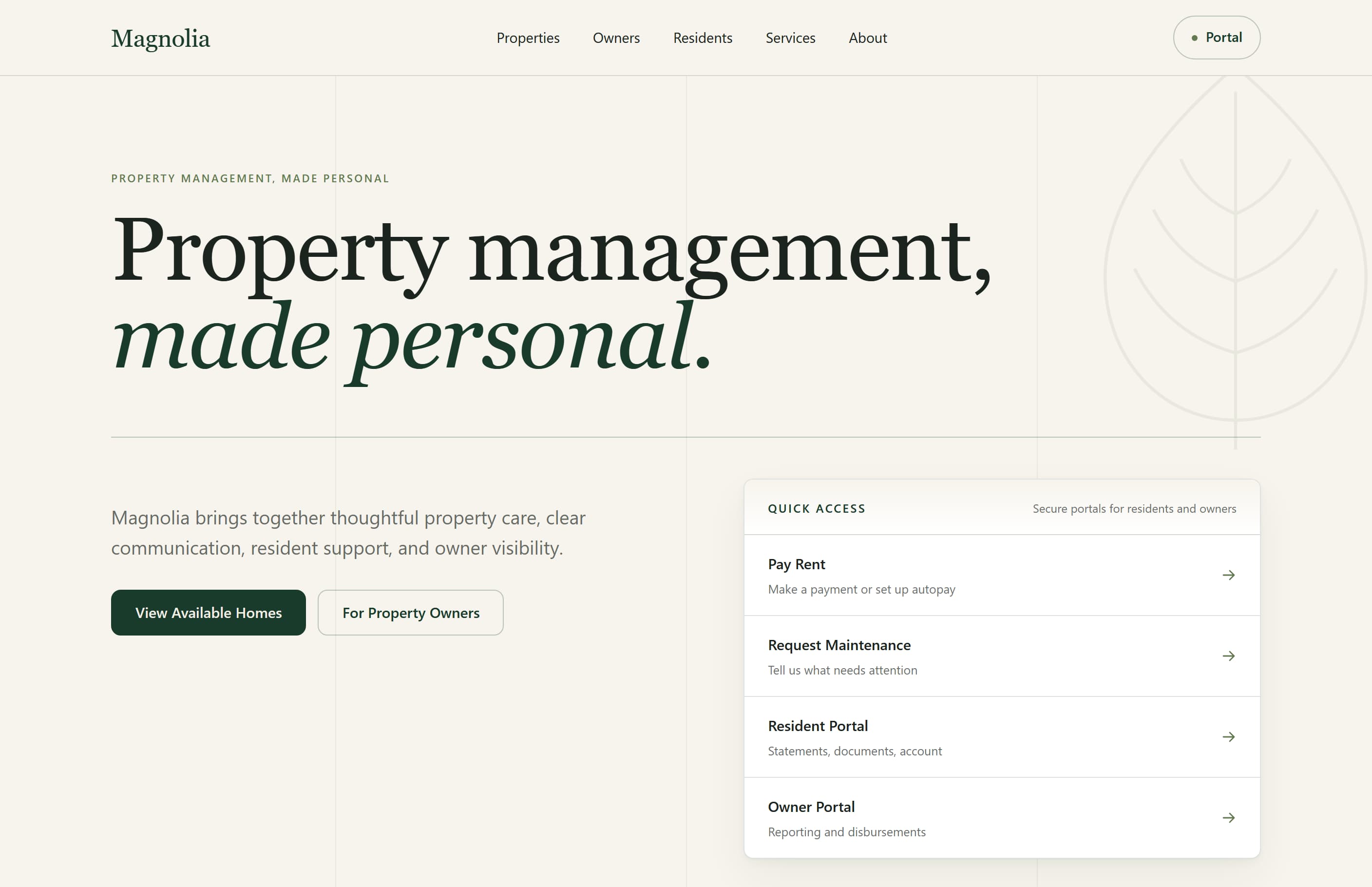
What We Were Really Building
Almost every property website starts from one quiet assumption: a listing is a building. One address, one page, one set of photographs, one rent figure. The assumption holds right up until a property has units — and then it fails in an expensive way.
The usual fix is duplication. A second kind of record for units, a second template, a second set of components, and a pair of near-identical publishing workflows that drift apart over the following year. The listing page for a single-family rental and the listing page for apartment 2B end up being different code solving the same problem.
The real build was the thing underneath: a structure where a whole property and an individual unit are genuinely different records holding genuinely different data — and where the public listing they produce comes out the same either way.
Everything else here follows from that decision — the system a team manages properties with, the rules that stop someone breaking the setup by accident, the bulk importer, and the boundary that keeps a future property-management vendor from dictating any of it.
The Rental Website
What someone searching for a home actually sees — and the first thing Magnolia was built to produce.
For People looking for a place to rent
Browse and filter available homes
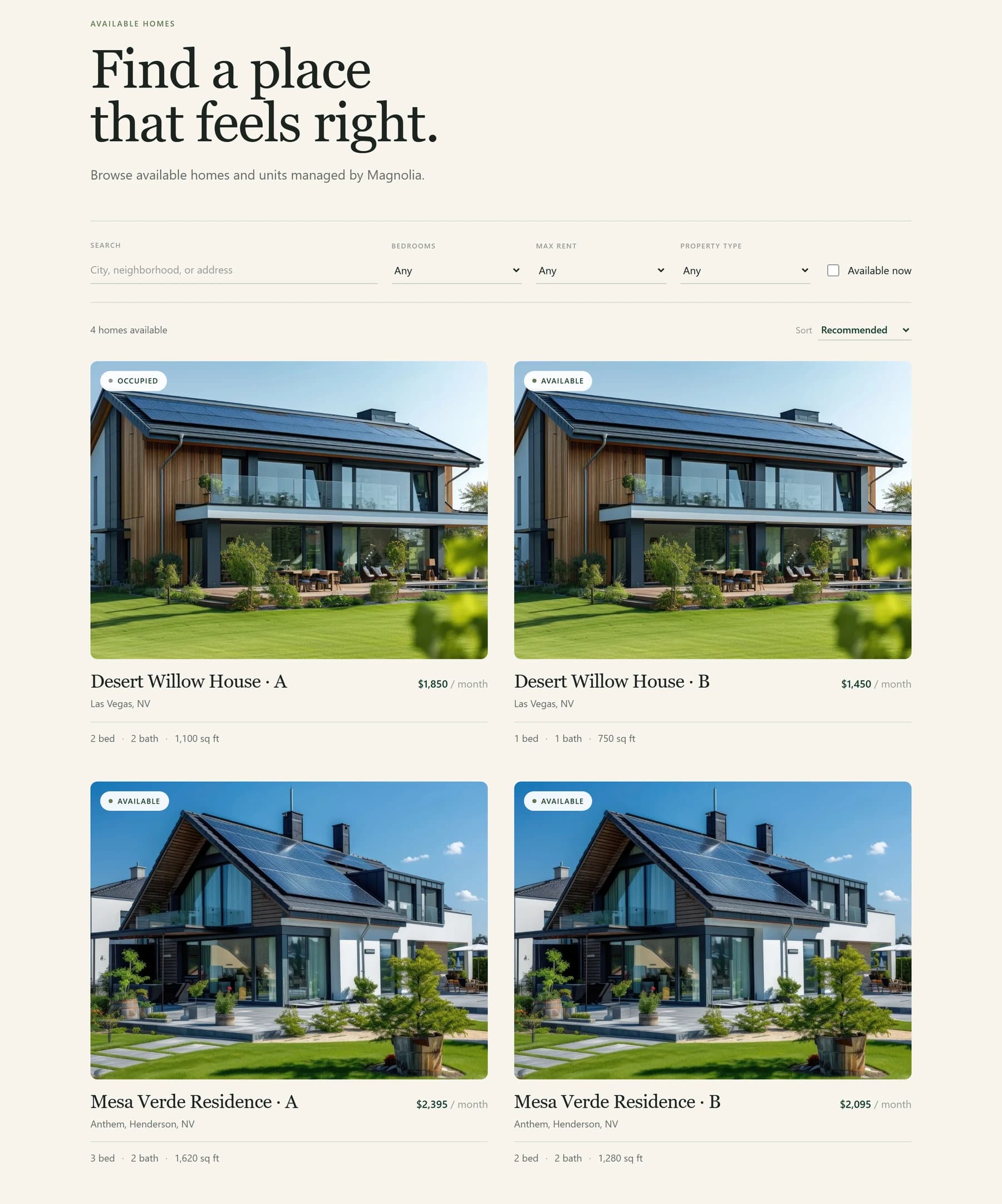
One place to see every rental that is currently available, with search and filters for bedrooms, rent and property type, and an availability state on each card.
A page for every property
Each property has its own web address, so it can be linked to, shared and found.
A page for every unit
Individual units get their own pages too, built from the same listing details as a whole-property rental — so neither reads as a lesser version of the other.
Built for phones first
Rental searching happens on a phone, so the listing and detail pages were designed for that screen before the desktop one.
Found properly in search
Each listing carries its own page title and description, plus a canonical URL so closely related listings do not compete with one another in search results.
Old links keep working
When a web address changes, the previous one redirects to the new page. Addresses already indexed by search engines stay reachable rather than breaking.
How Properties and Units Work
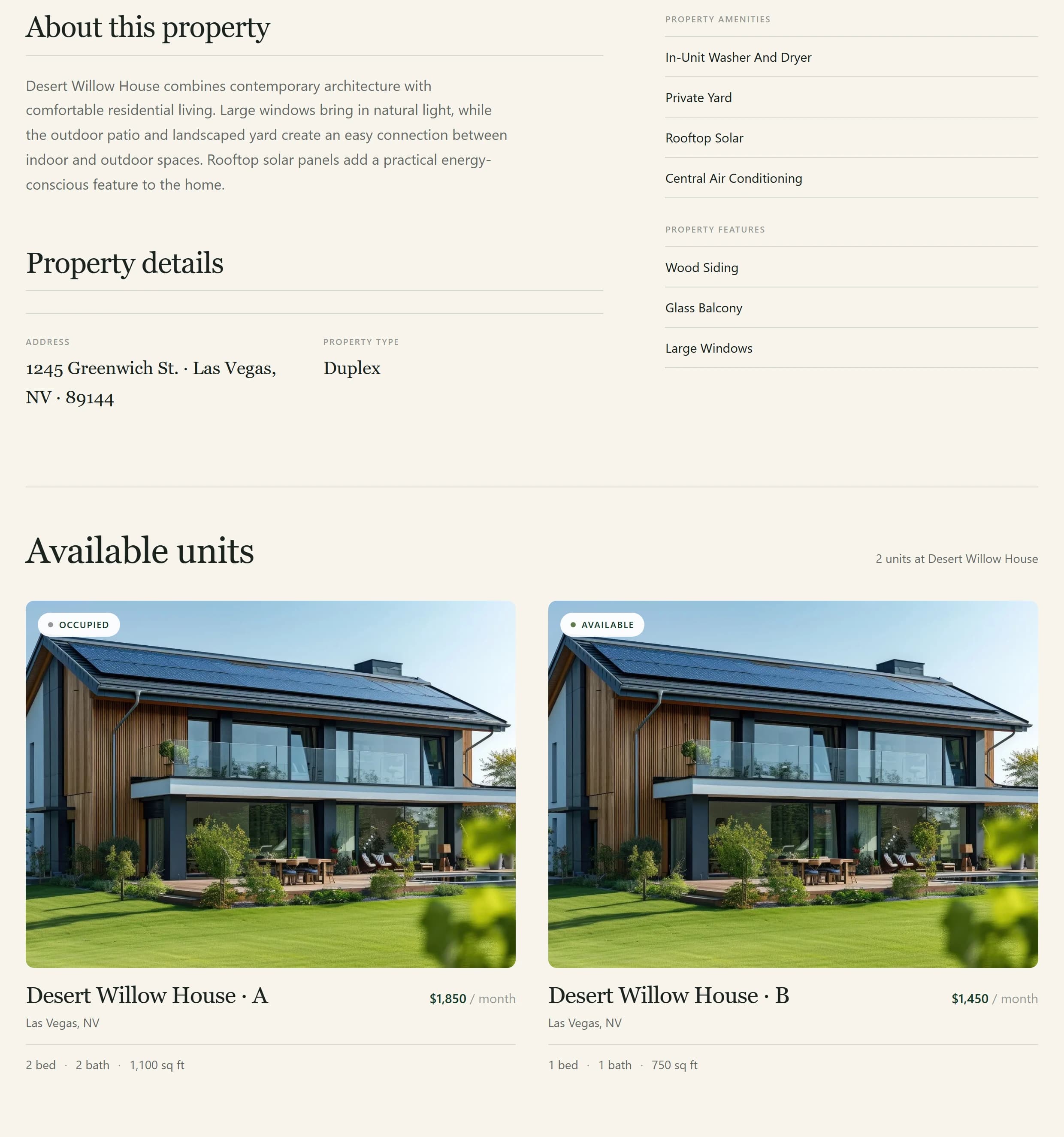
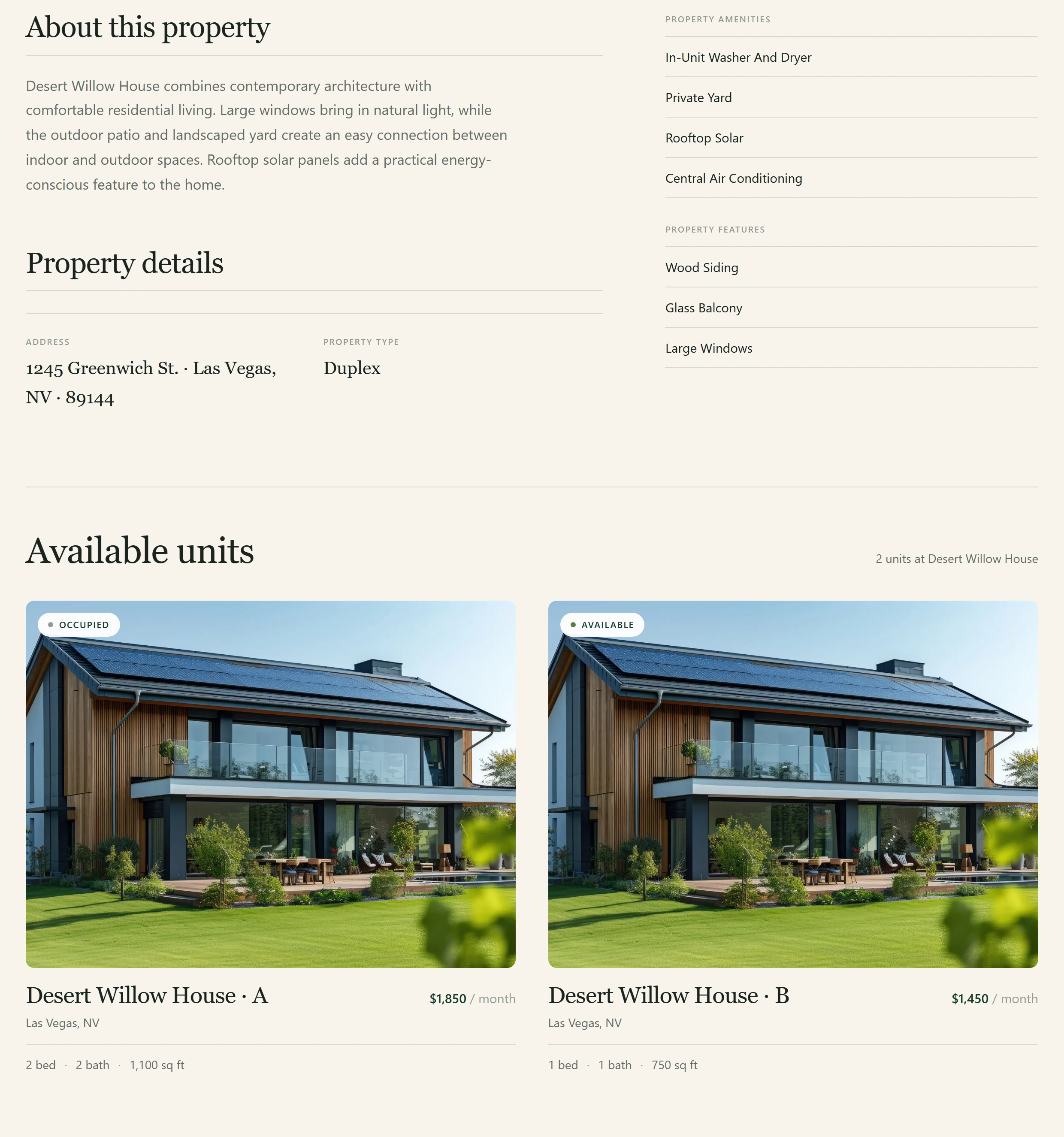
A whole house and one apartment inside a fourplex are not the same thing to the business that owns them. To someone browsing for a home, they should both simply be a place to rent.
Domain model
Whole-property rental
Property
Multi-unit rental
Property
Unit
Listing page
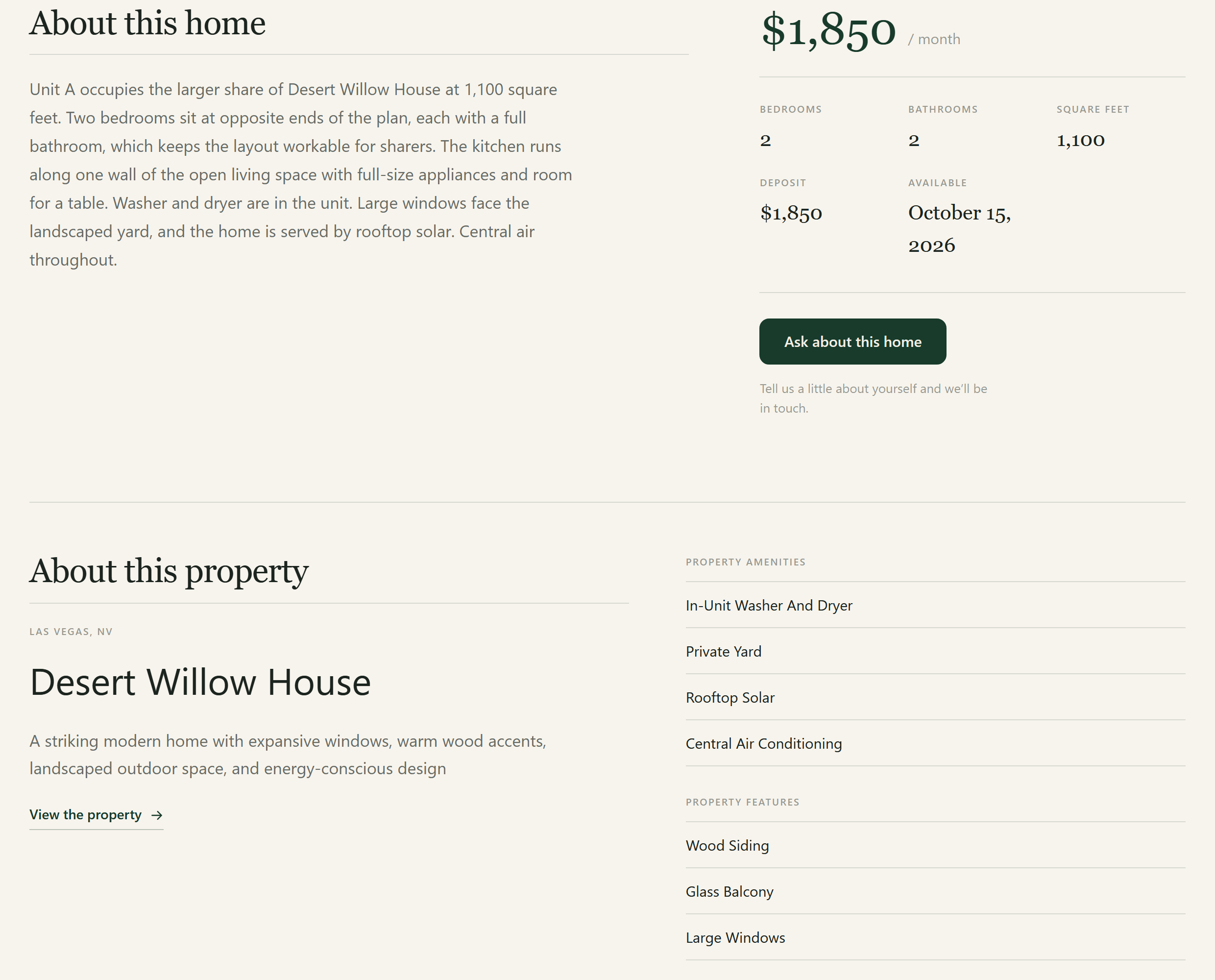
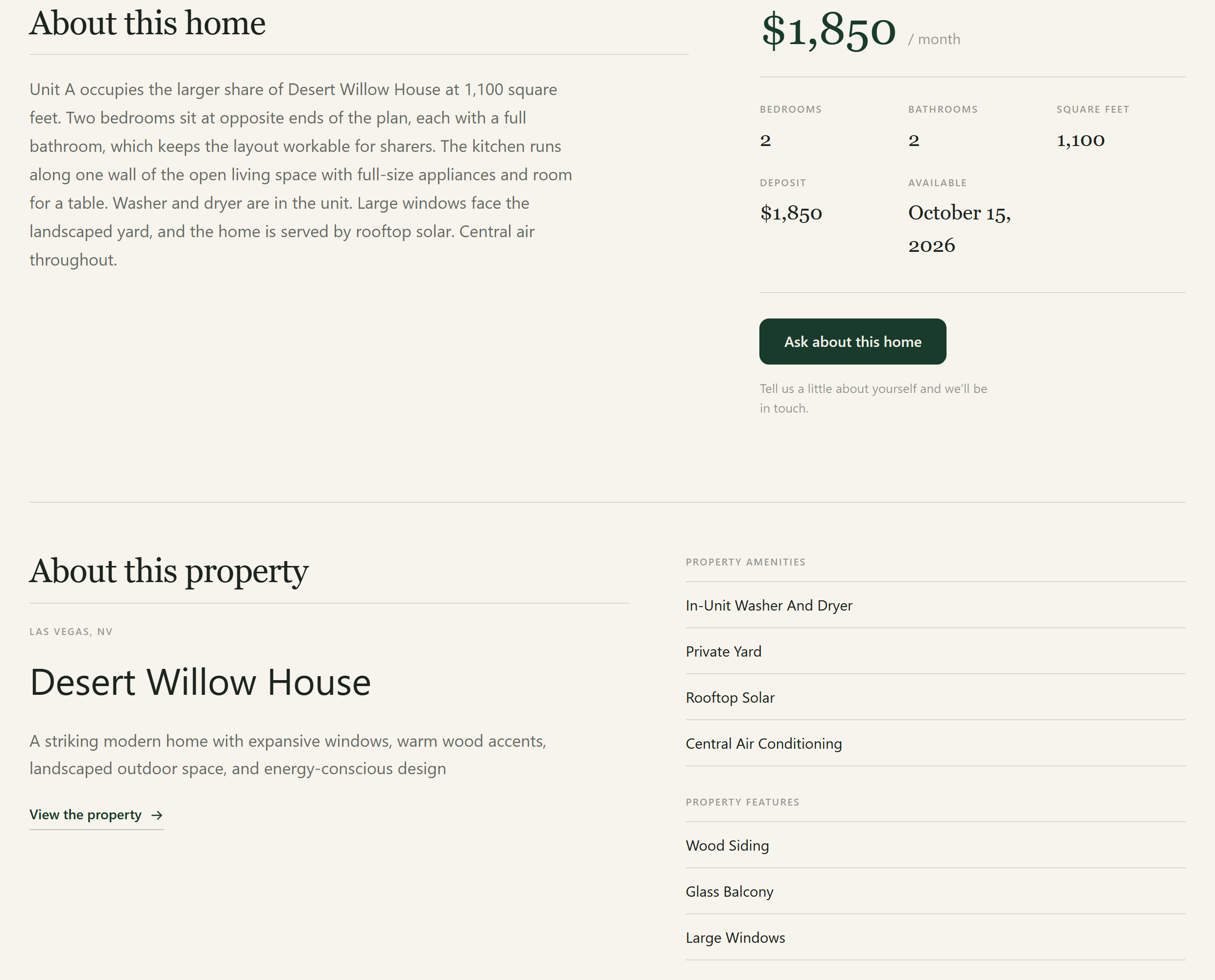
Both routes end at the same kind of listing page, so the pages a visitor sees never need to ask whether a rental came from a whole property or from one unit. That is the point: the difference is real in the records, where it matters, and invisible on the website, where it would only mean building and maintaining two sets of pages.
The entities
- Property
- The building or home itself. Holds everything true of the whole address — where it is, the shared photos, the description of the place.
- Unit
- A separately rentable space inside a multi-unit property. Holds what differs from one unit to the next, rather than what is true of the whole building.
- Listing
- The rental a visitor actually browses and opens. Built automatically from the two above — never typed in a second time.
What Residents and Owners Can Do
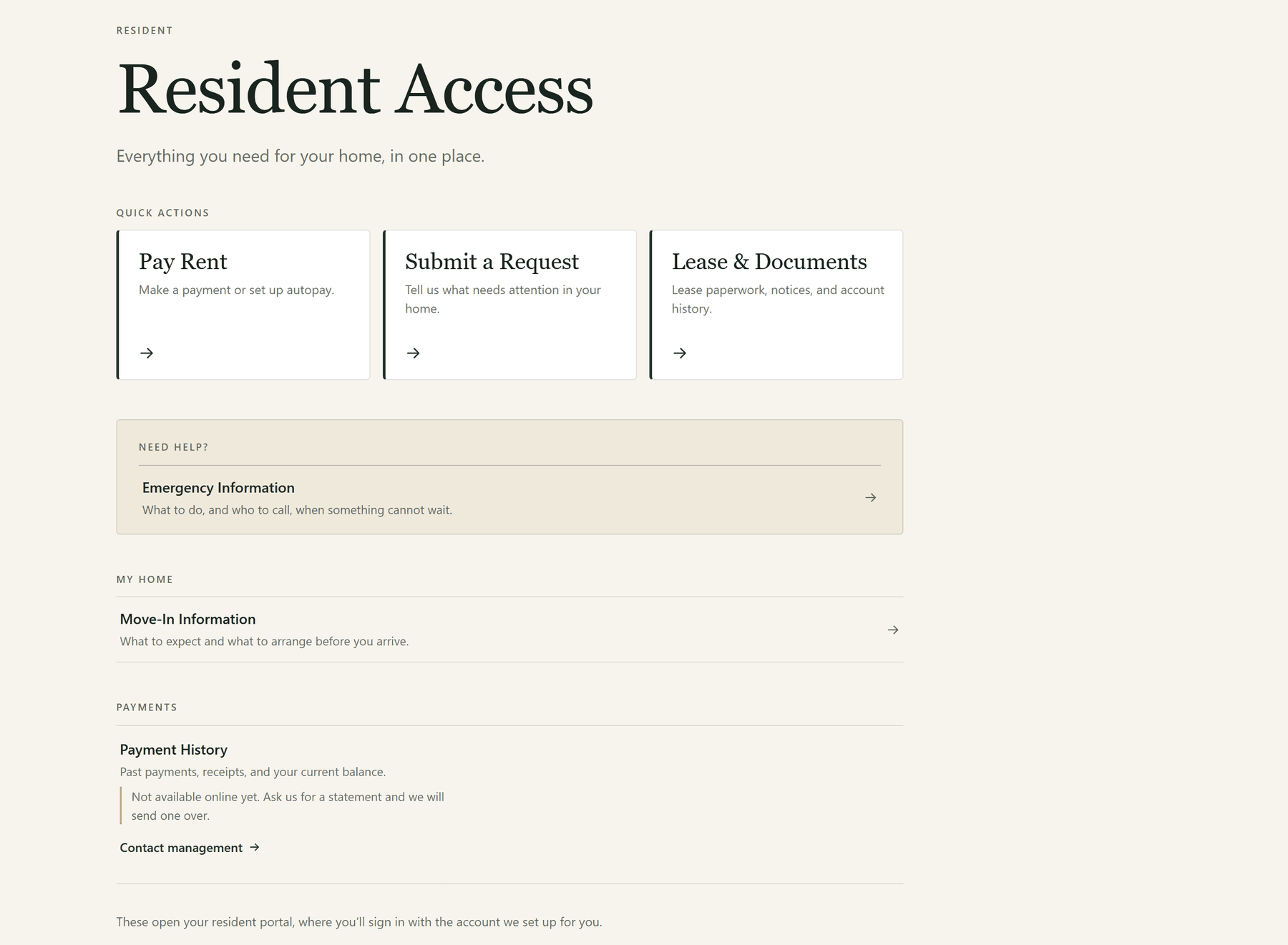
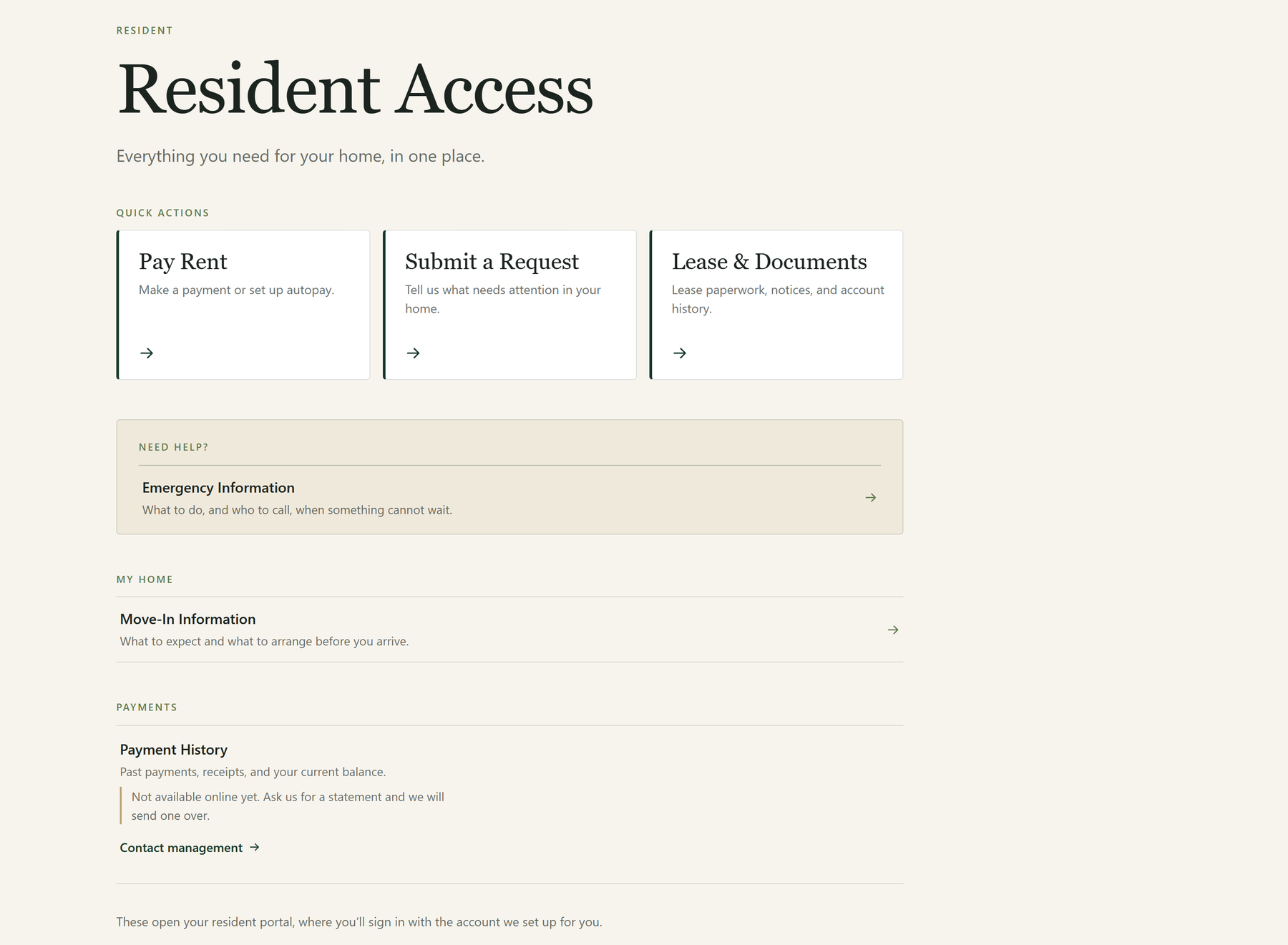
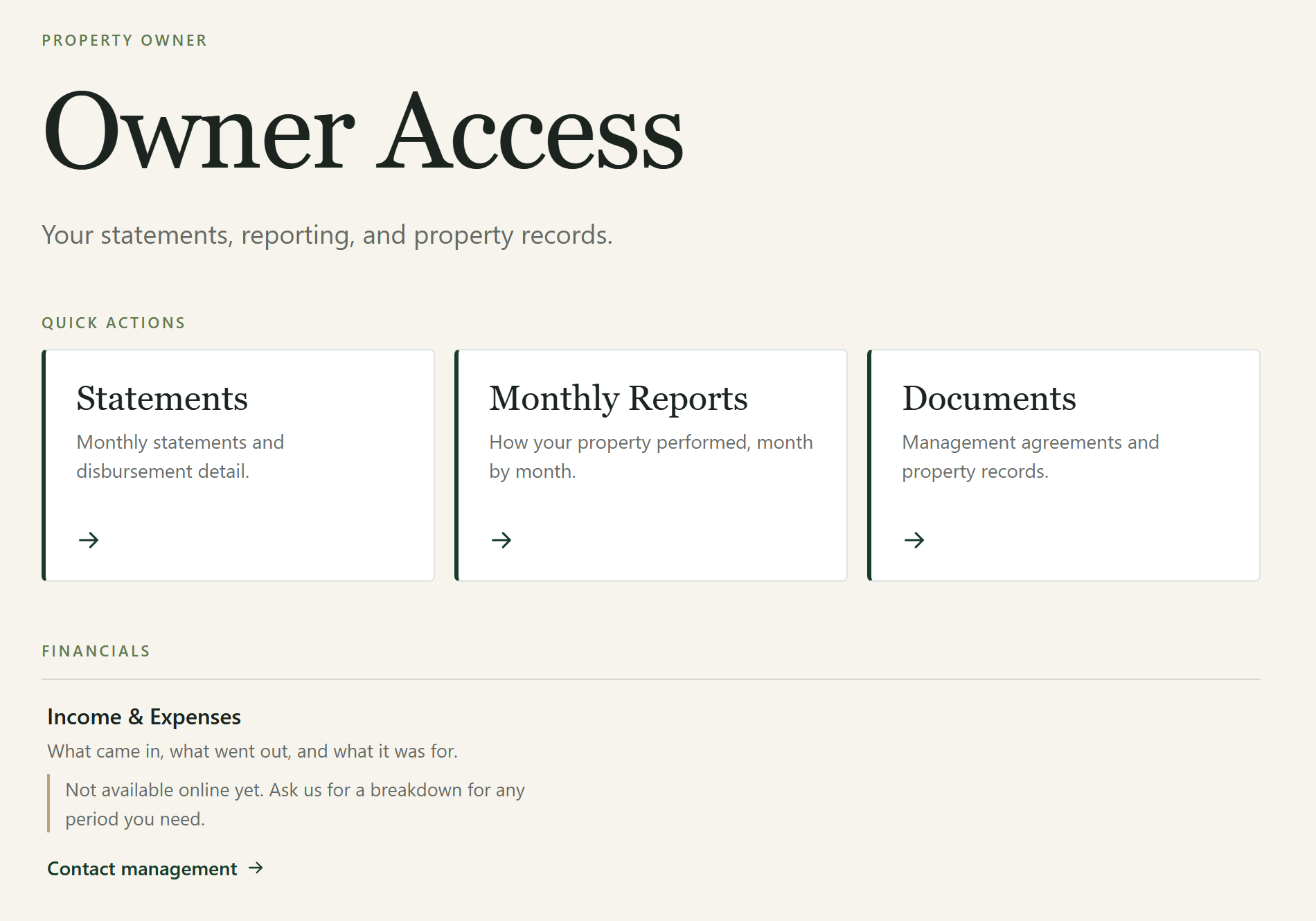
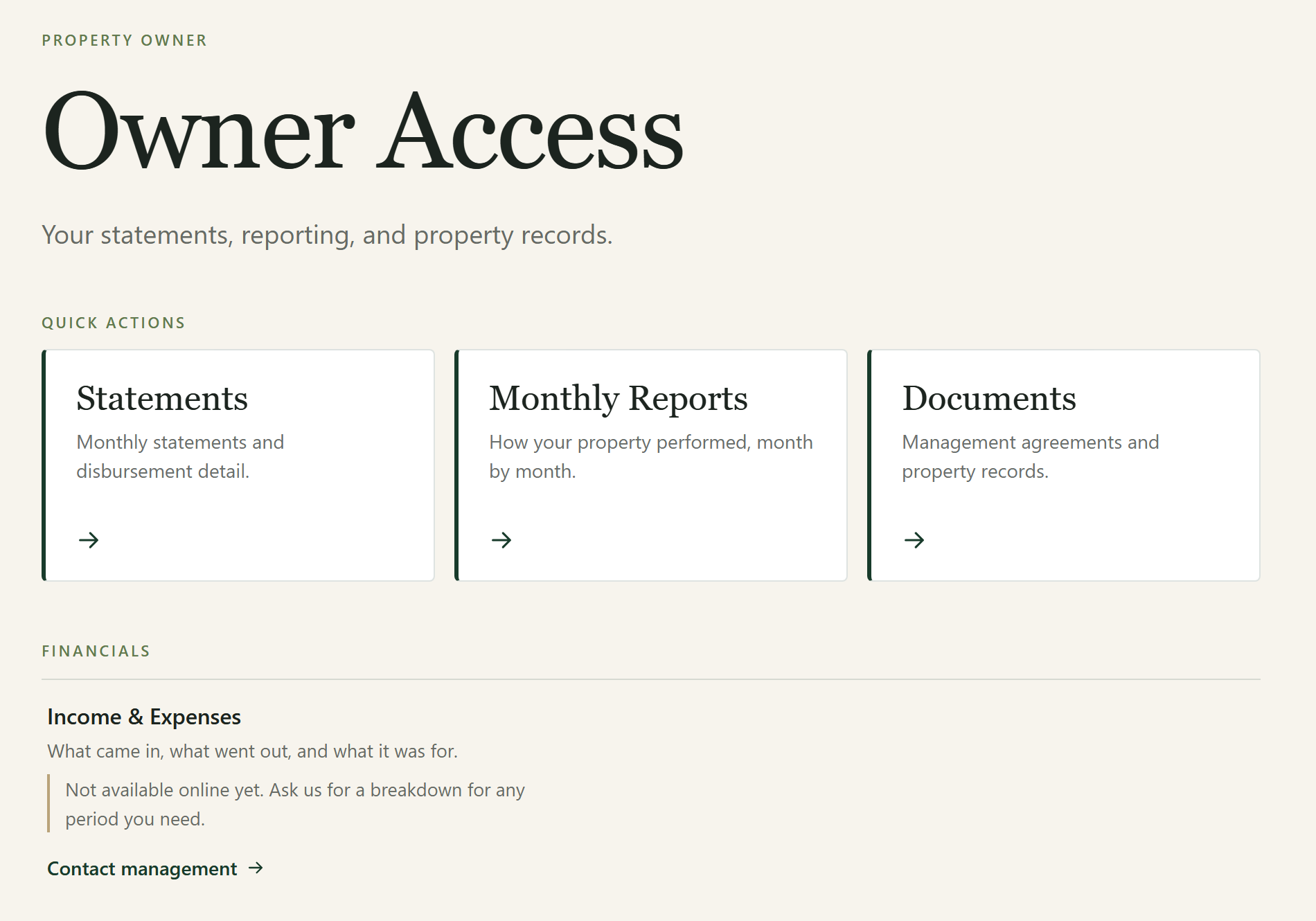
Two front doors — one for residents, one for owners — each built around the things a person actually needs to do, rather than around how any particular software product arranges its pages.
Capability resolution
Resident capabilities
- Pay Rent
- Payment History
- Submit Maintenance
- Maintenance Status
- Lease & Documents
- Move-In Information
- Move-Out Information
- Property Information
- Messages
- Emergency Information
Owner capabilities
- Statements
- Income & Expenses
- Tax Documents
- Occupancy
- Leasing Activity
- Inspections
- Work Orders
- Maintenance Approvals
- Invoices
- Monthly Reports
- Documents
- Contact Management
Destination resolver
external
The task is handled by a system outside Magnolia, and the link goes there.
internal
The task is handled by Magnolia itself, on a page the platform owns.
unconfigured
Magnolia understands the task but no destination has been set for it yet — so the page says so plainly instead of offering a link that goes nowhere.
This is the capability model the architecture supports. It is not a claim that every capability is enabled in any particular configuration — which capabilities are present, and where each resolves, is configuration rather than architecture.
How Your Team Manages Properties
Day-to-day management happens in a tool built for this job, not a generic admin screen. It runs on Sanity, shaped deliberately around properties, units and what is live.
For Property managers and operators running the portfolio day to day
See the state of a property at a glance
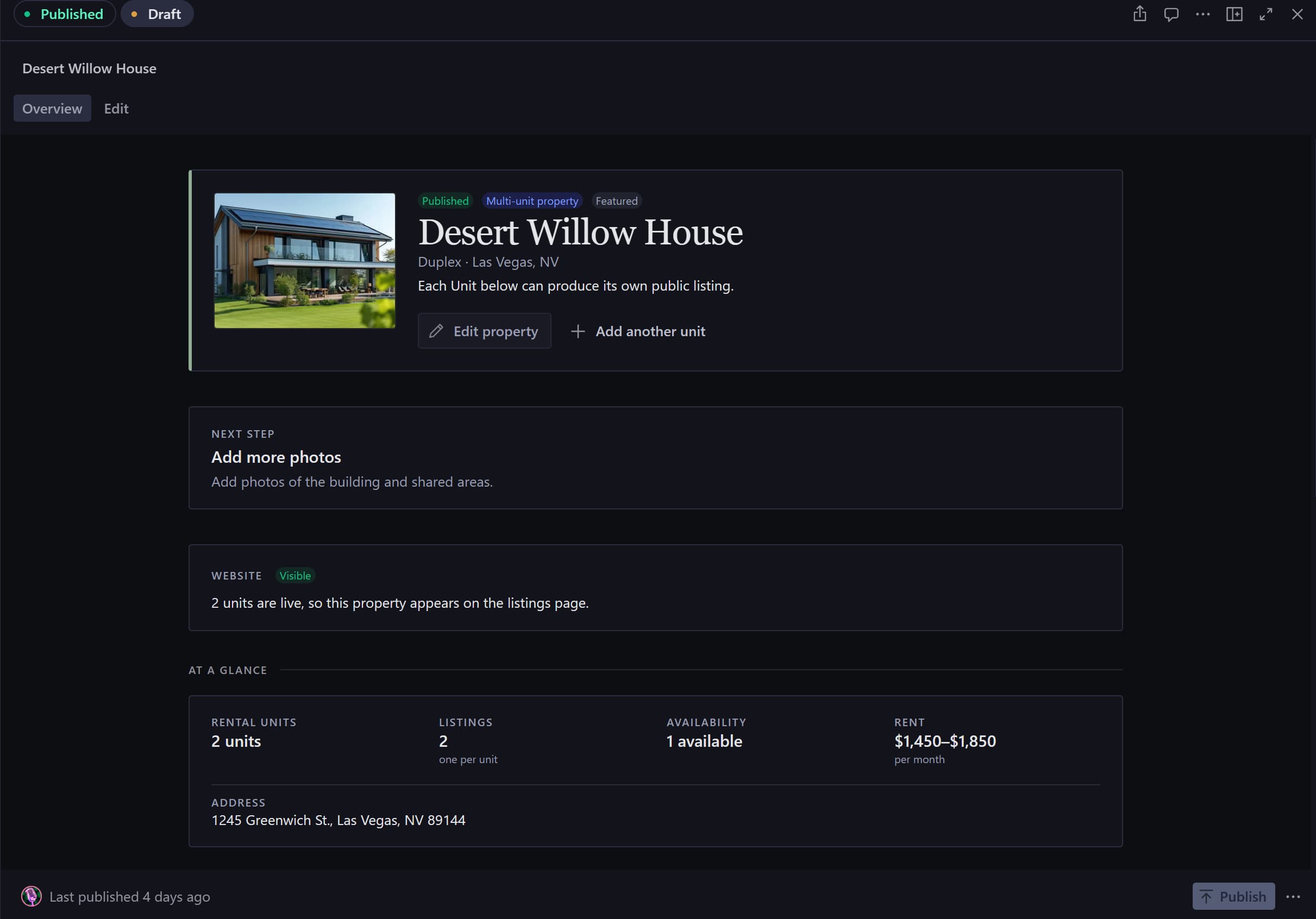
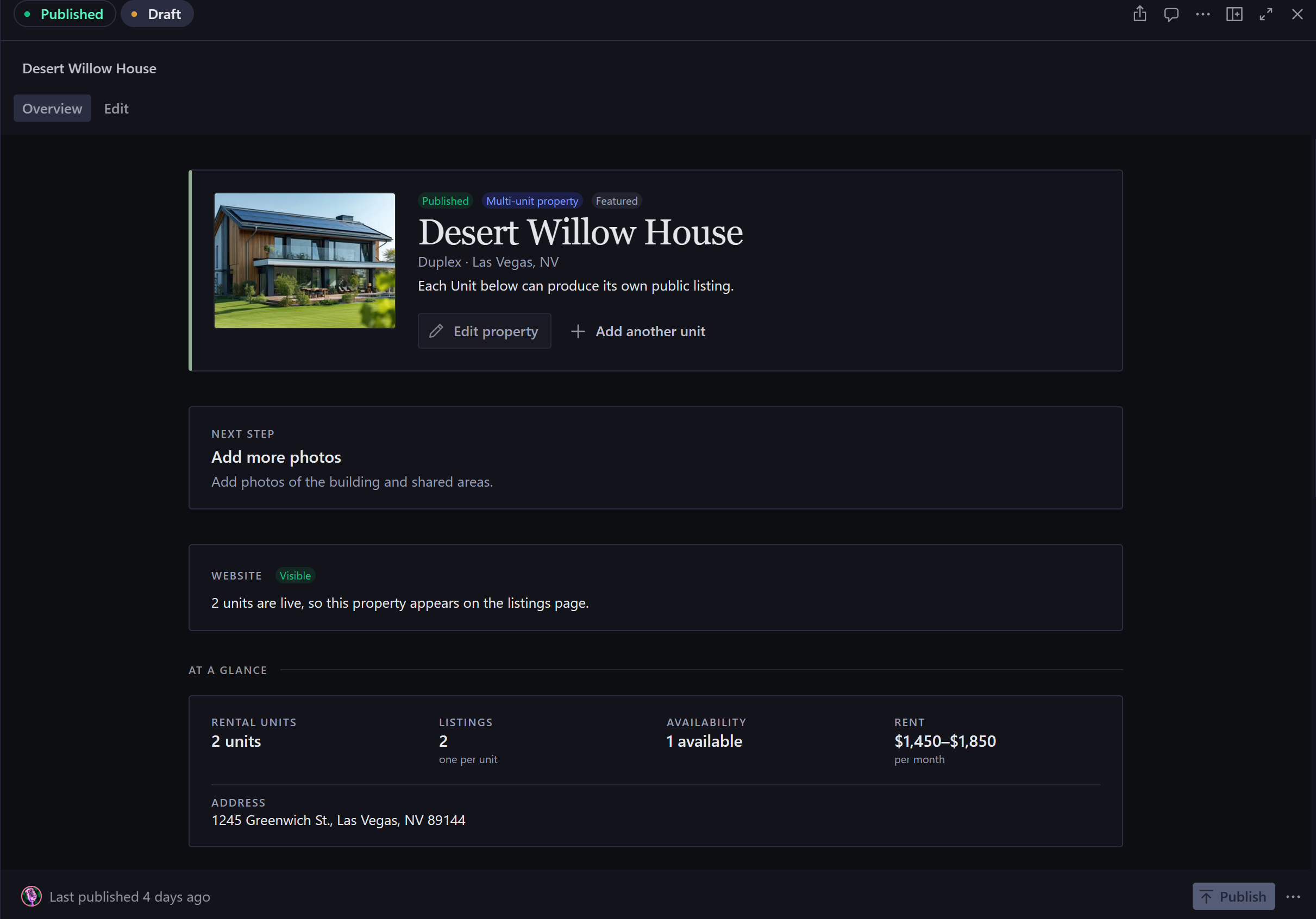
Each property and unit has an overview showing what is set up, what is live and what it is connected to — separate from the screen where things get changed. Reading and reconfiguring are different jobs, and running them together is how things get changed by accident.
Editing organised into sections
Property editing is grouped into Basics, Listing, Location, Media, SEO and Advanced, rather than one long undifferentiated form.
The system tells you what is missing
Guided setup and next-step prompts say what still needs doing, and readiness checks show whether a property or unit can actually be published — instead of leaving someone to work it out when a listing fails to appear.
What goes public is a deliberate choice
Publication is its own decision, not a side effect of filling in enough fields. A read-only Available Listings view shows exactly what is currently live, so the public result can be checked without leaving the tool.
Properties and units stay properly linked
The relationship between a building and the units inside it is a real, managed link — not something reconstructed from how things happen to be named.
Set up similar rentals without retyping
Duplication and listing-copy tools handle repetitive portfolio setup, which is where typing the same details repeatedly starts introducing inconsistencies.
Built So It’s Hard to Break
The places where the system declines to let someone quietly break the setup — and explains why, rather than simply refusing.
Guardrail
Deciding how a property is rented
- Prevents
- A property quietly holding both whole-property and per-unit rental details at once, so it is unclear which of them is supposed to produce the public listing.
- Mechanism
- The system asks 'How is this property rented?' as a straight choice between the entire property and multiple units, with wording that explains what changes when the answer changes — shown before the change, not after it.
Guardrail
Knowing when something is ready to publish
- Prevents
- Publishing a property or unit that is still missing something a listing needs.
- Mechanism
- Readiness is worked out and shown on the overview, so an incomplete record looks incomplete — rather than simply producing no listing and leaving someone to wonder why.
Guardrail
Settings that would conflict are refused
- Prevents
- Combinations that each look fine on their own but contradict each other together, which is how a setup quietly degrades over months of use.
- Mechanism
- The constraints are enforced in the management tool at the moment something is configured, not discovered later on the public site.
Guardrail
Nothing goes public by accident
- Prevents
- A rental appearing on the website as a side effect of someone editing it.
- Mechanism
- Visibility is set deliberately, and kept separate from whether a record happens to be complete.
Evidence pending
Sanity Studio Property edit screen with Basics, Listing, Location, Media, SEO and Advanced field groups, and a 'How is this property rented?' choice between entire property and multiple units.
Getting Your Existing Portfolio In
A property business that already exists already has its portfolio somewhere — usually a spreadsheet. Moving it in should not become a data-entry project, and it must not be able to damage what is already there.
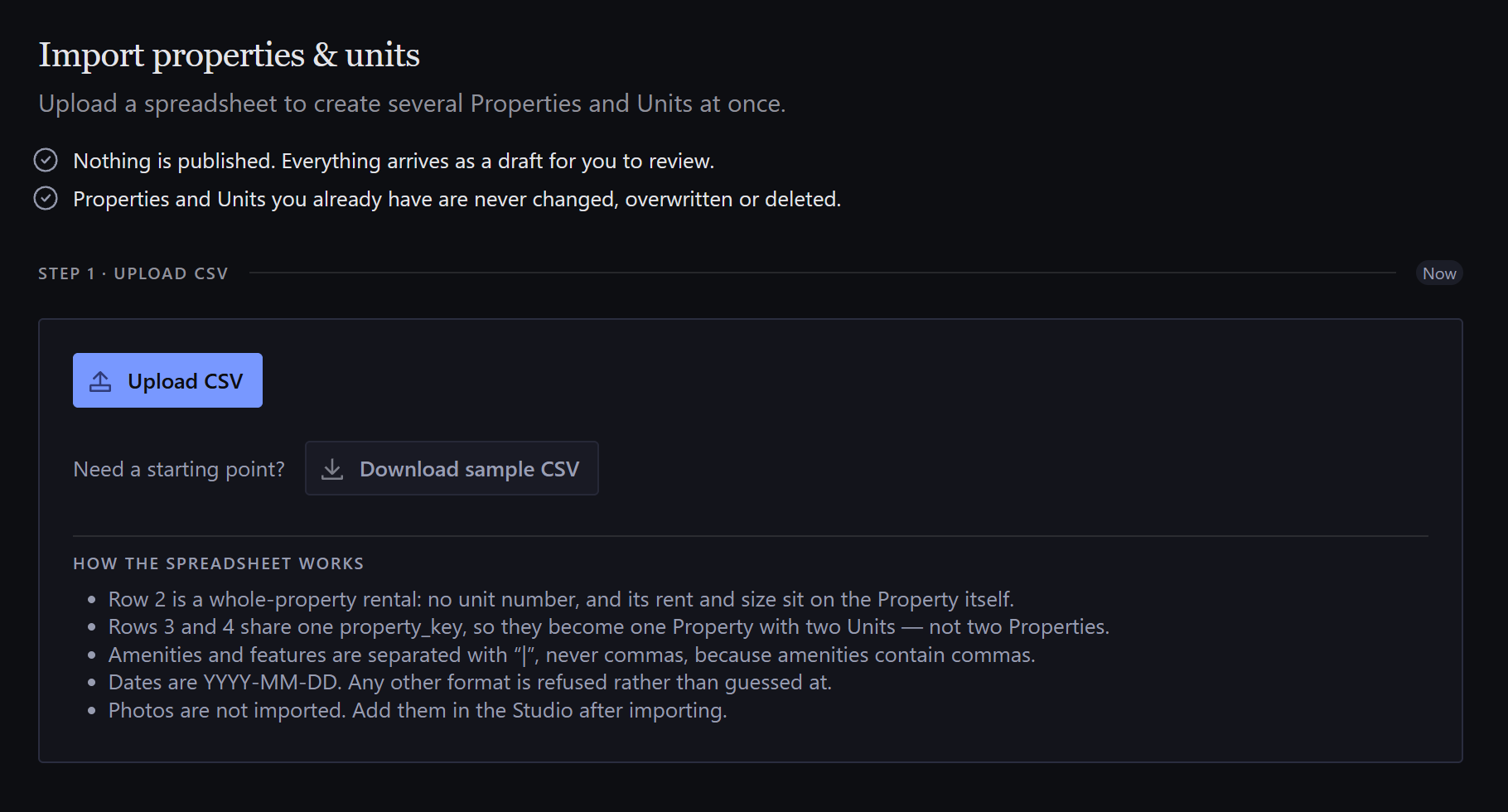
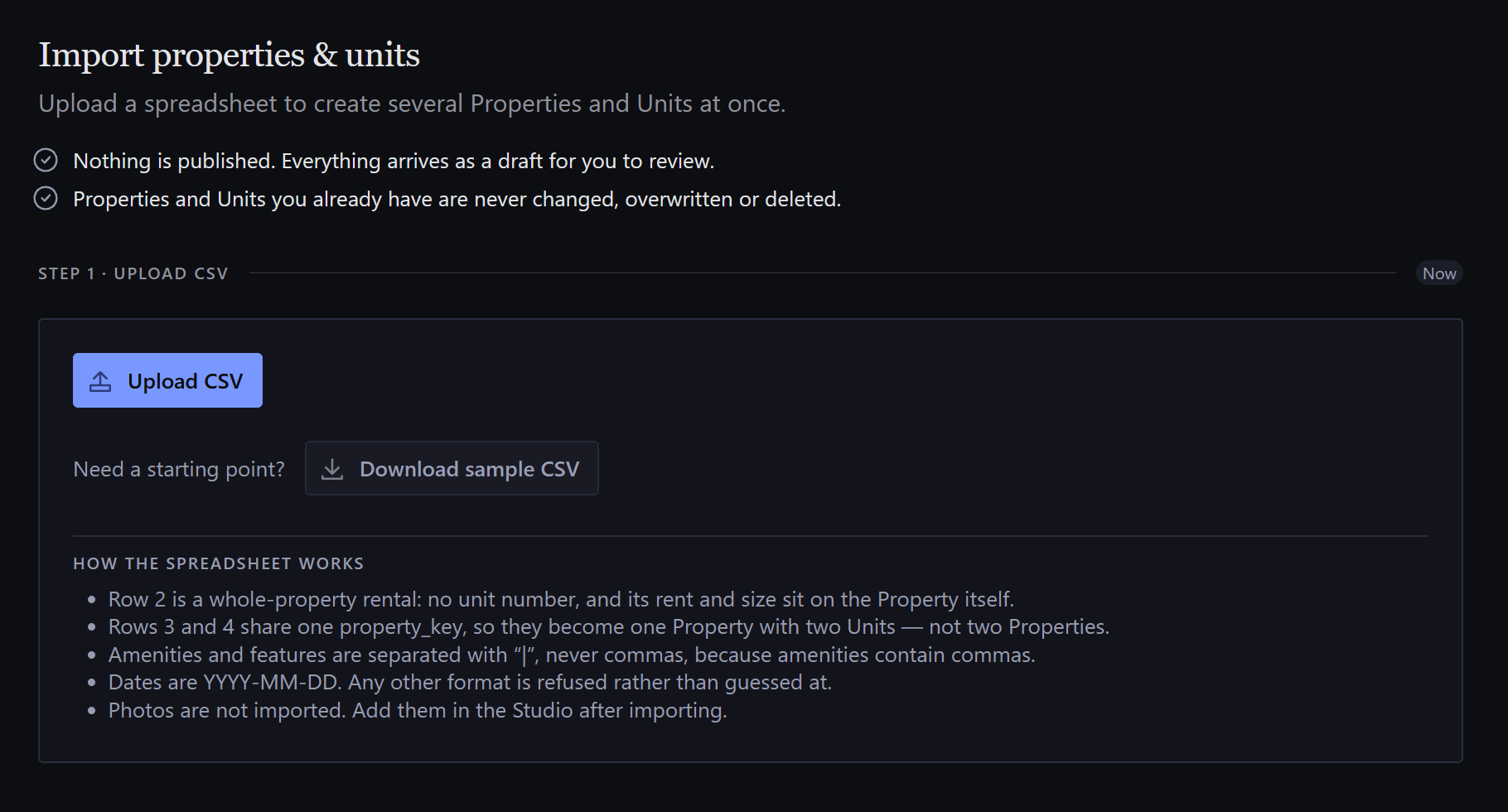
Upload, with a sample to work from
A sample spreadsheet shows the expected format, so nobody has to guess what the columns should be called.
Matching your columns to ours
A real export never matches an ideal header row, so matching your column names is part of the process rather than something to clean up beforehand.
Grouping rows into properties
Rows belonging to the same building are grouped into one property with its units, rather than becoming several separate properties. This supports both whole-property rows and multi-unit groupings — the same two routes described earlier. A shared property_key column is what ties the rows together.
Checking the file before anything is created
Both the shape of the data and whether it actually makes sense are checked first — structural and semantic validation, before a single record exists.
Catching duplicates and clashing web addresses
Finds records you already have, and separate records that would end up competing for the same web address — a slug collision, which is easy to create and awkward to unpick later.
Seeing what would be created
The operator sees exactly what would be created, and what each warning refers to, before committing to anything.
A real report at the end
What was created, what was skipped, and why — rather than a success message that says nothing.
What makes it safe to run
- Warnings and blocking errors are distinguished, so a cosmetic issue does not halt an import and a structural one cannot be clicked past.
- Creation is drafts-only — nothing enters the published site directly from a file.
- Existing records are never overwritten.
Not Locked Into One Software Vendor
Magnolia works on its own. If the business later runs property-management software, that system can be connected without rebuilding the public website or the management tool — and the business keeps its own records either way.
Integration boundary
Providers are adapters, not the application architecture.
Where the data comes from
Property-management software, or a person entering the details directly in the management tool. Either is a valid starting point.
The connector layer
Translates an outside system's wording into ours. The only layer allowed to know that any particular vendor exists.
Future adapter targets
- AppFolio
- Buildium
- DoorLoop
- Rent Manager
- Propertyware
- Yardi
These are adapter targets, not shipped integrations. No provider integration is implemented today. They are named because the boundary was designed around the shape of systems like them — each would map into the internal domain and capability model through an adapter, without changing the website or the CMS schema.
The business's own records
Properties, units and how they relate, in the business's own terms.
Listings and portal links
Works out the public listing for each rental, and where each resident or owner task should point.
What people actually use
The public website, the management tool, and the resident and owner entry points.
A business that keeps its properties inside a vendor's product inherits that vendor's roadmap, export format and pricing along with it. Keeping the records on our side of that line means a provider can be added, swapped or dropped without rebuilding how the business is represented — and the website and management tool stay fully usable with no provider attached at all.
How We Made It Reliable
A platform with listings, a management tool, portals and bulk import cannot be checked by clicking around it. These are the parts covered by automated tests, and the checks done by hand. No scores, and no audit that did not happen.
Covered by automated tests
- The public pages, and the web addresses they live at
- Listings built from both whole properties and individual units
- Properties and units staying correctly linked
- The guardrails that refuse conflicting settings
- Readiness checks
- Redirects, so previously published links keep working
- The management tool's own behaviour
- Bulk import — grouping, validation and clash handling
- Resident and owner tasks resolving to the right destination
Verified by other means
- Accessibility verification across the management tool and the public website
- Responsive behaviour verified inside the management tool, not only on the public site
What This Unlocks
What the platform makes possible next, and what the work shows we can do.
What it unlocks
- Bringing a real portfolio in through a reviewed, drafts-only import rather than a bespoke data-entry project.
- Connecting property-management software later, without rebuilding how the business is represented or rebuilding the site.
- Adding a new way to browse rentals once, because whole-property and unit listings already produce the same kind of page.
- Extending the resident and owner portals by configuring what they offer, rather than building pages around one vendor's layout.
- Reusing the same platform for other portfolios — it was designed for reuse rather than built once for a single address.
What it demonstrates
- Structuring a business's information so the website, the management tool and any future integration all agree on what things are.
- Turning a CMS into something a non-technical team can genuinely run a business from, rather than a wall of form fields.
- Connecting outside software without letting that software dictate how the business works.
- Designing admin interfaces people can use without training, or a developer on call to explain them.
- Building the risky operations — bulk imports, publishing — so they can be reviewed before they happen and are safe to get wrong.