
Websites & Digital Platforms
Websites designed to stand out. Built to do more.
WebCraft Labz is a Las Vegas web development agency and creative studio. We design and build websites for small businesses, entrepreneurs, service companies and growing brands — and for nonprofits and larger organizations carrying programs, locations, or a few hundred pages.
Creative direction and technical development are considered together from the start, so the design holds up once it is built. And when a site needs to do more than present pages — bookings, payments, a directory, a content system your team can run — that is part of the same project rather than a second vendor.
What this work is
Past a certain size, a website stops being a set of pages and becomes a system.
Several audiences, several departments, and content that keeps arriving.
Where it comes from
Three reasons people call us
The situations the work actually arrives in, described as problems rather than as a client list. The third of them is the one stated above.
A business that needs to look the part
The work is good. The website is not saying so.
Small businesses & service companies
The work is good and the site does not show it. People arrive from a search or a referral and decide in a few seconds whether to call.
Entrepreneurs & new ventures
A first real website that has to establish credibility quickly, and leave room to change as the offer settles.
Growing brands outgrowing a template
A theme that was fine at the start and now decides what the brand looks like, which pages can exist, and who is allowed to edit them.
Several audiences at once
Different people arriving at the same entrance and needing different things from it.
Municipal & public organizations
Residents arrive looking for one service and have to pass through a structure built around departments. The information exists; the path to it is the problem.
Nonprofits & associations
Programs, donors, members, volunteers, and the public all need different things from the same site, and the team maintaining it is usually small.
Education & institutions
Prospective students, current students, staff, and families each follow their own route through a large body of content that keeps growing every term.
Scale is the problem
Enough content, services, or locations that the volume itself is what makes the site hard to use.
Large service organizations
Long service catalogues where visitors need to identify which service they need before anything else on the page can help them.
Content-heavy organizations
Publications, resource libraries, documentation, and archives, where the volume of content is the thing that makes it hard to use.
Multi-location organizations
Shared brand and shared content, with genuine per-location differences in services, hours, staff, and contact — without maintaining the same page many times over.
Selected work
Platforms we have built
Each is labelled for what it actually is — a live production website, or a demonstration we built ourselves. ClearWaters Alliance is a fictional organization, not a real nonprofit. The full record, including work in development, is in the portfolio.
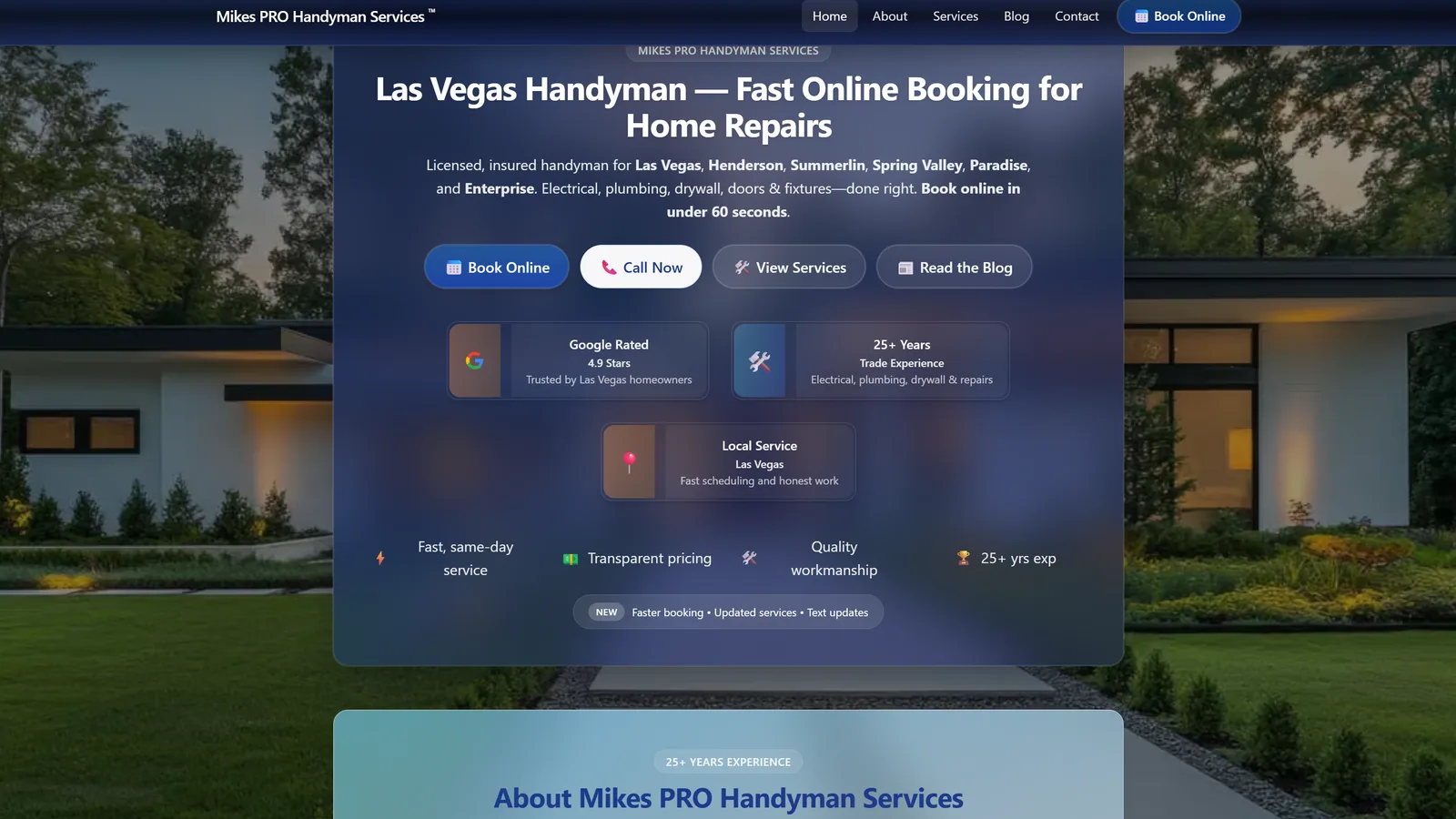
Mike's Pro Handyman — Local-service website 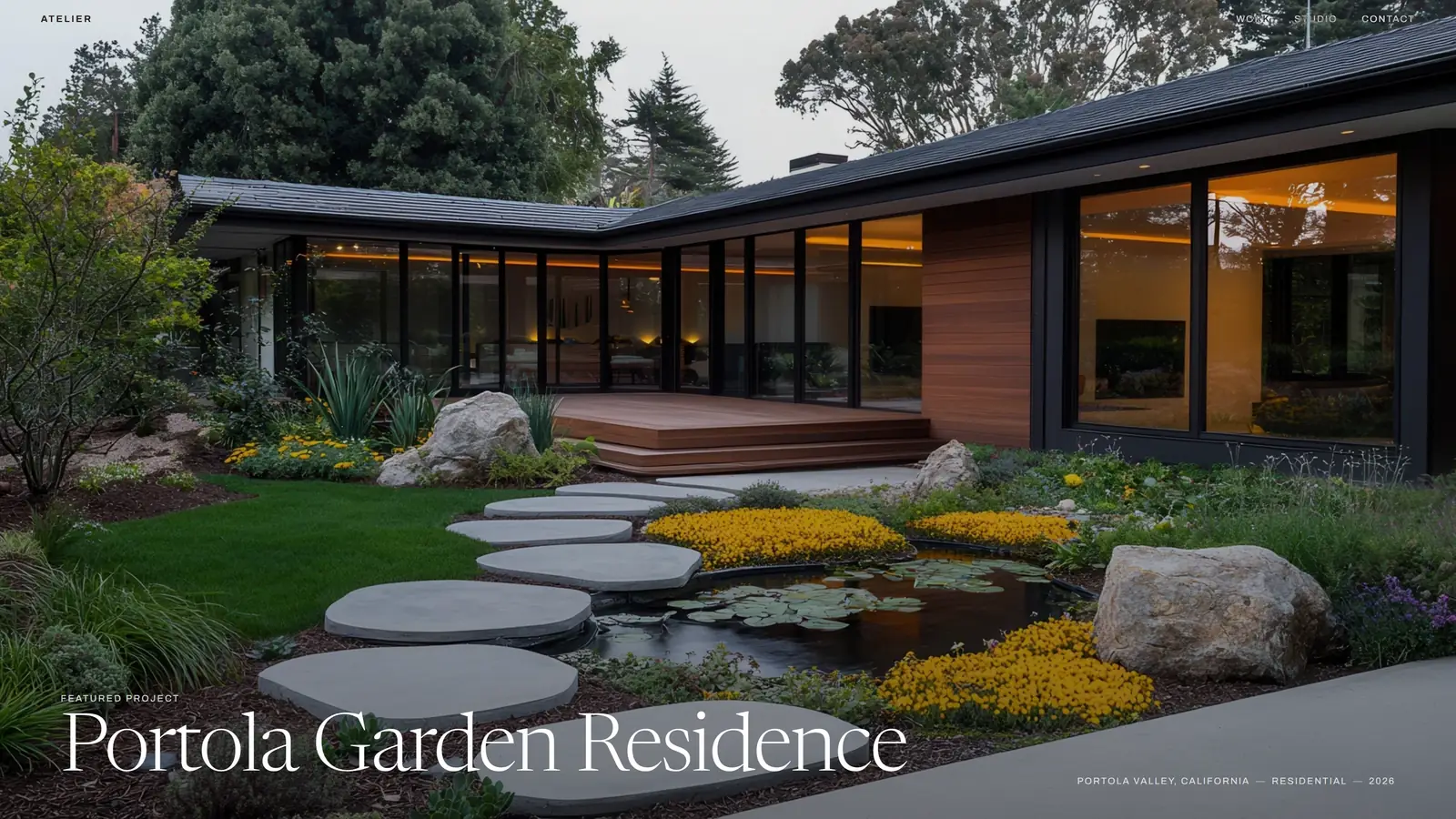
Atelier Landscape — Landscape architecture portfolio demo 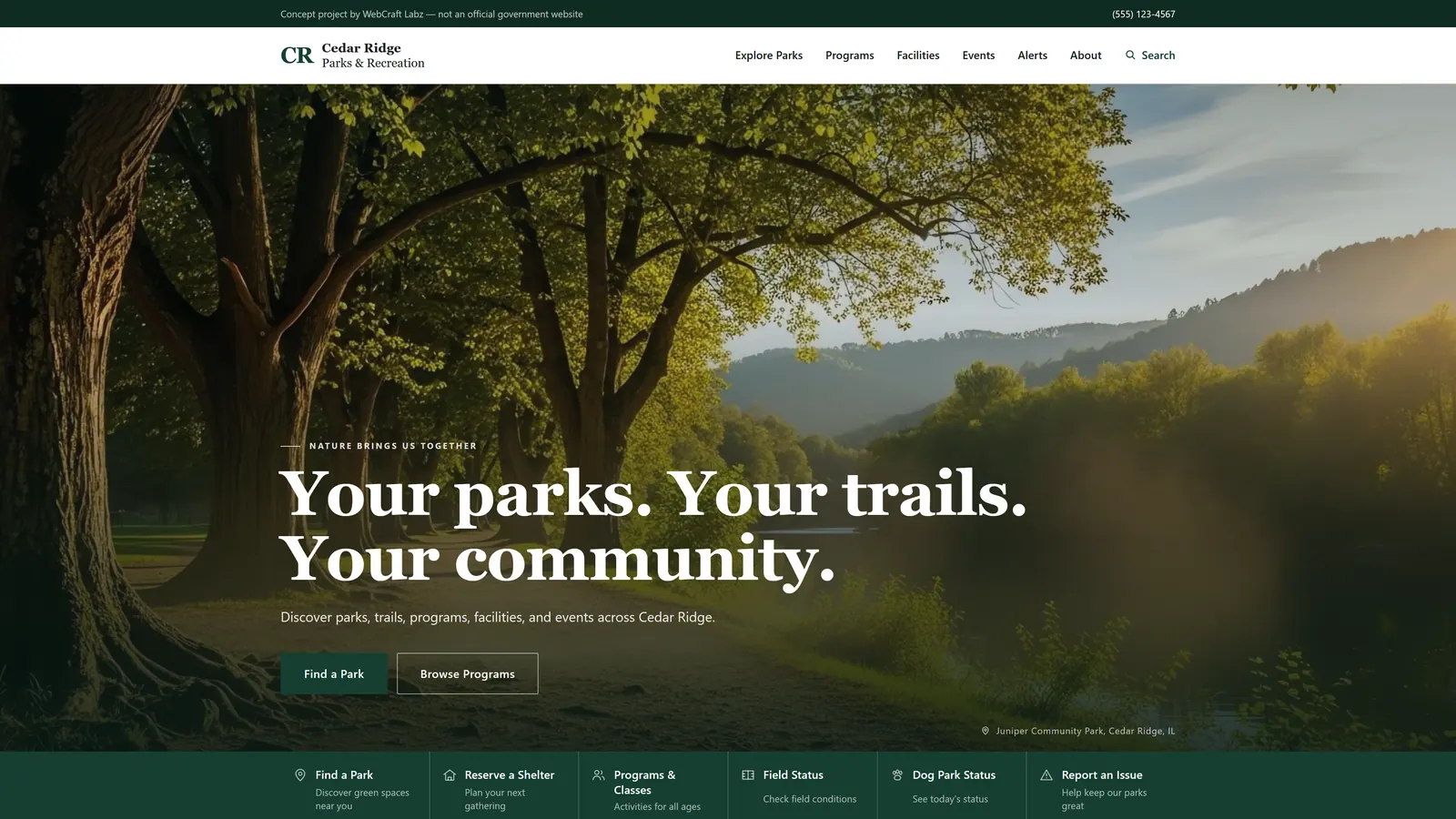
Cedar Ridge Parks & Recreation — Municipal parks & recreation website demo 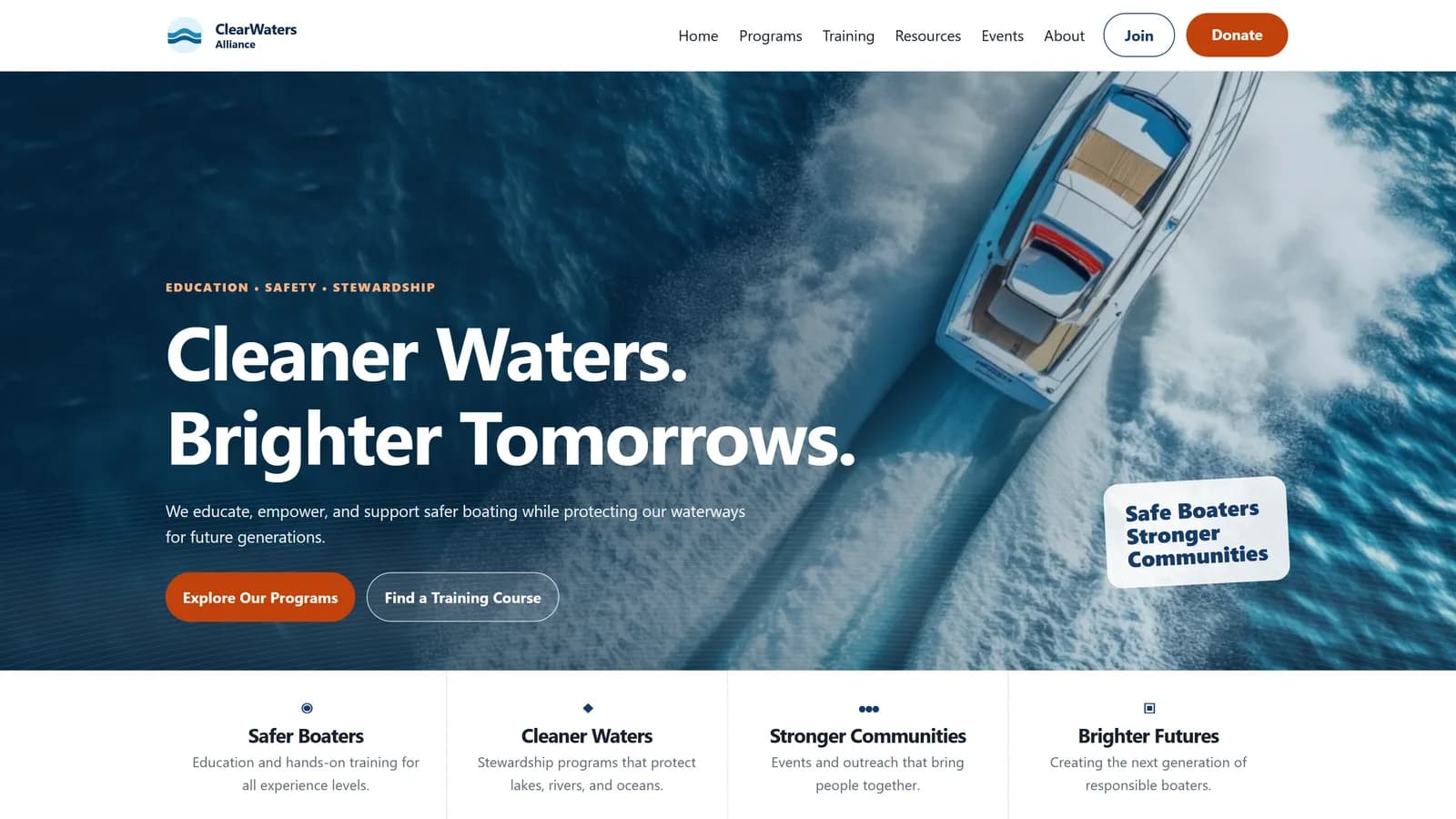
ClearWaters Alliance — Nonprofit and public-service WordPress platform 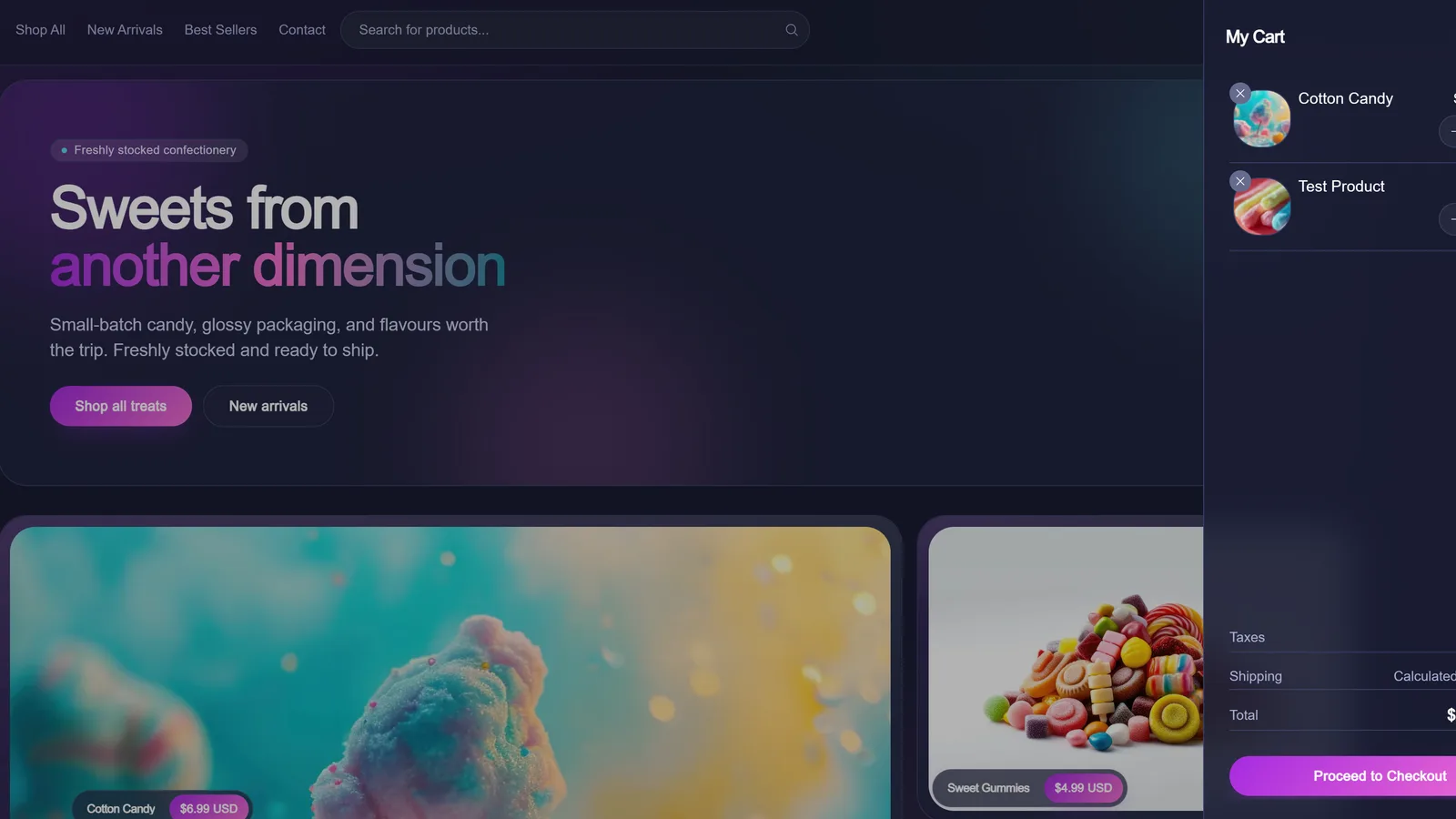
Candy Shoppe — Headless ecommerce storefront demo
Design
How it looks is part of how it works
A website should feel like it belongs to your business. The colors, typography, imagery, interactions, and small details all contribute to that feeling. We bring creative direction into the process from the beginning, so the design is thoughtful, distinctive, and built to work across every screen.
Visual direction
A look developed for your business rather than adapted from a theme, starting from what you do and who you are talking to.
Typography
Type chosen and set properly — sizes, spacing, line length. Most of a website is words.
Imagery & art direction
What the photography, illustration or screenshots need to do, how they are cropped and sequenced, and where a section is stronger with none.
Brand expression
Colour, tone and detail applied consistently — including on the pages nobody designs, like empty search results and error states.
Responsive design
The design decisions behind that: what reflows, what stacks, and what earns its place on a small screen.
Interaction & motion
Hover, focus, loading and transitions, used where they help someone understand what just happened.
Redesign & modernization
Replacing a site that has stopped working
Most of this work is not a first website. It is the second or third one, and the hardest part is usually the content that has to come with it.
Legacy redesigns
An existing site that still works but no longer reflects what the organization does or how people use it.
Full rebuilds
When the underlying platform, not the design, is what has stopped working — and patching it costs more than replacing it.
Content restructuring
Auditing what actually exists, what is duplicated, what is out of date, and what nobody has opened in three years.
Navigation redesign
Rebuilding menus and landing structures around what people are trying to do rather than who owns the content internally.
CMS modernization
Moving off an editing experience that makes routine updates expensive enough that people stop making them.
Responsive redevelopment
Sites built before mobile was the majority case, or patched into a mobile layout that behaves differently from the real one.
Performance improvements
Diagnosing what makes pages slow — images, scripts, server response, layout shift — and fixing the causes rather than the score.
Content-heavy platforms
When there is a lot of it, structure is the product
A large collection is not made usable by a better homepage. It is made usable by being modelled properly, so it can be listed, filtered, and found.
Large content libraries
Hundreds or thousands of items that need consistent structure to stay findable as the collection grows.
Resource centers
A discovery layer over content that already exists, so a reader can enter by topic, goal, or format.
Document collections
Reports, forms, minutes, and policies — the material people arrive specifically to download.
News & updates
Dated, chronological publishing that has to stay current without a redesign every time it grows.
Program & service directories
Structured entries with real fields — eligibility, location, contact, hours — rather than prose pretending to be data.
Archives
Older material kept reachable and citable instead of quietly disappearing at the next migration.
Multi-department content
Several internal owners publishing into one site without it fragmenting into several sites.
Search & filtering
The controls that make a large collection usable — and the structured content underneath that makes them possible.
CMS & editorial workflows
The right CMS is the one your team will actually use
The choice follows from how an organization publishes — who edits, how often, with what review, and whether the same content has to appear in more than one place.
A team that publishes constantly
Editing has to be familiar and low-friction for non-technical staff. A conventional CMS like WordPress usually wins here, and the work goes into the editing experience rather than the novelty of the stack.
Content that appears in more than one place
The same program or service showing up on a landing page, in a directory, in search results, and possibly in an app. That is structured content — a headless CMS such as Sanity, with reusable components rather than copies.
Several editors and a review step
Drafts, roles, and approval before anything goes public. Editorial workflow is a requirement in its own right, not a plugin decision made at the end.
A site meant to outlive its redesign
Keeping the content model separate from the presentation, so the next visual refresh is a rebuild of the front end and not a re-entry of every page.
Accessibility & performance
Build constraints, not a closing audit
These are decided while the site is being built. Retrofitting any of them afterwards costs more and works less well.
Accessible
The parts that decide whether someone can use it at all.
WCAG-focused development
Built against the guidelines as the work happens, rather than audited into compliance afterwards.
Keyboard usability
Every control reachable and operable without a mouse, with focus that stays visible and in a sensible order.
Semantic structure
Real headings, lists, landmarks, and labels, so assistive technology gets the same structure a sighted reader sees.
Fast and responsive
How it behaves on a real connection and a real device.
Responsive & mobile behavior
One layout system that holds from a narrow phone to a wide desktop, without a separate mobile experience to maintain.
Performance
Image handling, script budget, and server response treated as build constraints rather than a post-launch clean-up.
Core Web Vitals
Loading, interactivity, and layout stability measured on real pages, not on a stripped-down demo.
Found and verified
Neither is visible in the design, and both decide whether the work reaches anyone.
Technical SEO
Clean page structure, metadata, internal linking, and crawlability so content can be found once it is published.
Cross-browser testing
Verified across current browsers and devices rather than only the one the site was built on.
Features & technology
What the site can do, and what it is built with
Most websites need to do more than present pages. These are the pieces people ask for most often — sometimes an established platform fitted properly into the site, sometimes built from scratch, depending on which actually serves the work.
Booking & scheduling
Appointments, consultations, classes or reservations, working from real availability. Often an established booking platform fitted properly into the site.
E-commerce
We design and develop online stores, from straightforward storefronts to more customized shopping experiences. We'll help choose a platform and approach that fits your products, customers, and how you manage orders.
Forms & enquiries
Quote requests, applications and intake forms, with validation, spam handling, and submissions arriving somewhere a person actually looks.
A CMS your team can run
Pages, listings and media editable by someone non-technical. Which CMS, and why, is the question the section above answers.
CRM & tool integrations
Enquiries, bookings and signups going into the systems you already use, rather than a second inbox nobody checks.
Calendars & events
Programs, classes and schedules published once and shown wherever they are needed.
Maps & locations
Service areas, branch finders, and per-location pages sharing one source of content.
Custom functionality
Calculators, directories, member areas and dashboards — built where no existing product covers what the work actually needs.
Built with
We are not tied to one framework. Technology should fit the organization, users, project requirements, and expected lifespan of the platform.
How we weigh those trade-offs is written up in the Developer Stack Library.
How a project runs
Content first, then structure, then screens
Five stages, in the same order every time. Migration gets its own stage because it is the part most often underestimated.
Discovery & content audit
What exists today, who uses it, which pages actually get traffic, and which parts of the organization publish into it. Existing content is inventoried before anything is designed.
Architecture
Site structure, navigation, content model, and templates. This is where a large site is either made navigable or left as a directory of pages, and it is settled before visual design begins.
Design & development
Interface design and production build in the same pass, with accessibility, responsive behavior, and performance treated as constraints rather than a closing audit.
Migration & launch
Moving real content, preserving URLs that already rank, redirecting the ones that change, and testing against real pages instead of samples.
After launch
Documentation and training for the people who will maintain it, and measurement of how it is actually being used. Where you would like us to stay involved afterwards — updates, improvements, or continued development — what that covers is agreed as part of your project rather than sold as a standing package.
Questions
What organizations usually ask first
What drives the cost of a project like this?
Scope, mostly: how many templates the site needs, how much existing content has to be migrated and restructured, how many integrations it has to talk to, and whether the content model is straightforward or genuinely complex. A focused site is a much smaller project than a multi-department platform with a directory and a document library. You get an estimate after discovery, not before.
How long does a website or platform project take?
It depends on the same factors as cost, and content migration is the part most often underestimated. A focused site can be a matter of weeks; a large multi-audience platform with legacy content to restructure is a longer engagement. We scope it against your real content rather than a page count.
Can you redesign or rebuild our existing website?
Yes, and that is most of this work. We start by auditing what you already have — content, structure, traffic, and the parts of the CMS your team actually uses — because that determines whether the answer is a redesign on the existing platform or a rebuild onto a new one. We will tell you which, with the reasoning, rather than defaulting to the larger project.
Which CMS will we end up with?
It depends on how your team publishes. If editing needs to be familiar and frequent for non-technical staff, a conventional CMS like WordPress is usually right. If the same content has to appear in several places in a structured way, a headless CMS such as Sanity fits better. We decide this during discovery, from your workflow, rather than starting from a preferred tool.
Can you build an online store?
We design and develop online stores, from straightforward storefronts to more customized shopping experiences. We'll help choose a platform and approach that fits your products, customers, and how you manage orders — an established e-commerce platform is the right answer for plenty of businesses, and we will say so when it is. Candy Shoppe in our portfolio is a demonstration we built ourselves to show one approach; it is labelled a business demo, not a client engagement.
What happens after launch?
You get documentation and training, and the site is built so your team can run it — for some projects that is where our involvement ends, by design. Where you would rather we stayed involved, we can: updates, improvements, new sections, or continued development as the business changes. What that covers is agreed for your project rather than picked from a list of plans, and we do not publish fixed packages or response times we could not hold to on every engagement.
Do you handle accessibility?
Accessibility is part of how the site gets built — semantic structure, keyboard operability, visible focus, and labelling are build constraints, not a closing audit. This matters particularly for public-sector and institutional sites, where accessible access to services is a baseline requirement rather than an enhancement.
Will our search rankings survive a rebuild?
That is a migration question, and it is handled deliberately: existing URLs that already perform are preserved where possible, anything that has to change gets a redirect, and structure, metadata, and internal linking are carried across rather than rebuilt from scratch. Losing rankings in a rebuild is a preventable outcome, not an inevitable one.
What counts as a digital platform rather than a website?
The line is structure, not size. A website presents pages. A platform has a content model underneath it — programs, services, documents, or listings as real structured entries — so the same information can appear in a directory, a search result, and a landing page without being maintained several times over. Most organizations with a lot of content need the second thing even when they ask for the first.
Related capabilities
Where this connects
Website work rarely stops at the website. These are the capabilities it most often runs into.
Applications & Digital Tools
When the thing being built is a task rather than a page: dashboards, portals, booking, directories, and internal tools.
Applications & Digital Tools →UX, Information Architecture & Accessibility
The structural work underneath a large site — audiences, navigation, content hierarchy, and accessible interface patterns.
UX, Information Architecture & Accessibility →Content, Data & Platform Systems
CMS architecture, structured content, migrations, integrations, and the data layer behind the interface.
Content, Data & Platform Systems →AI & Automation
Where a publishing or service workflow around the site is repetitive enough to be worth automating.
AI & Automation →Technical SEO & Performance
Core Web Vitals, crawlability, and the technical groundwork that decides whether content gets found.
Technical SEO & Performance →Selected work
Live sites, business demos, and platforms in development, each labelled for what it actually is.
Selected work →
Las Vegas & Nevada
Start a project
Tell us what the current site can't do.
A redesign, a platform that has outgrown its CMS, content nobody can find, or a rebuild you have been putting off because of the migration — describe it and we'll tell you straight what it takes.