Beyond the Redesign: What Website Modernization Actually Requires
A redesign changes what people see. Modernization changes what the organization can do next. A seven-phase framework for rebuilding an aging website without destroying what already works.
An aging website rarely looks broken all at once. It decays slowly. A page gets added here, a plugin there. A new service gets squeezed into an old navigation structure. Someone updates the company name but misses three old PDFs. A developer leaves, the CMS stops receiving updates, and the mobile experience gets steadily more awkward. Analytics end up installed twice. Nobody remembers why certain URLs exist, but they still rank in Google, so nobody wants to touch them.
Eventually the website becomes a digital attic: everything is technically still there, and nobody is sure what can be thrown away.
That's where modernization begins. And despite how it's usually sold, modernization isn't primarily a design problem. It's a systems problem.
A New Design Is the Easy Part
When a company decides its website feels outdated, the first instinct is visual: new typography, cleaner layouts, better photography, a modern palette, maybe some subtle animation. Those things matter. Design shapes credibility, usability, and how people perceive the business.
But replacing the surface without understanding what's underneath produces a beautiful new version of the same old problems. A twenty-year-old website carries years of accumulated search rankings, customer behavior, business logic, documents, integrations, forms, redirects, backlinks, and internal workflows. None of that shows up in a homepage mockup.
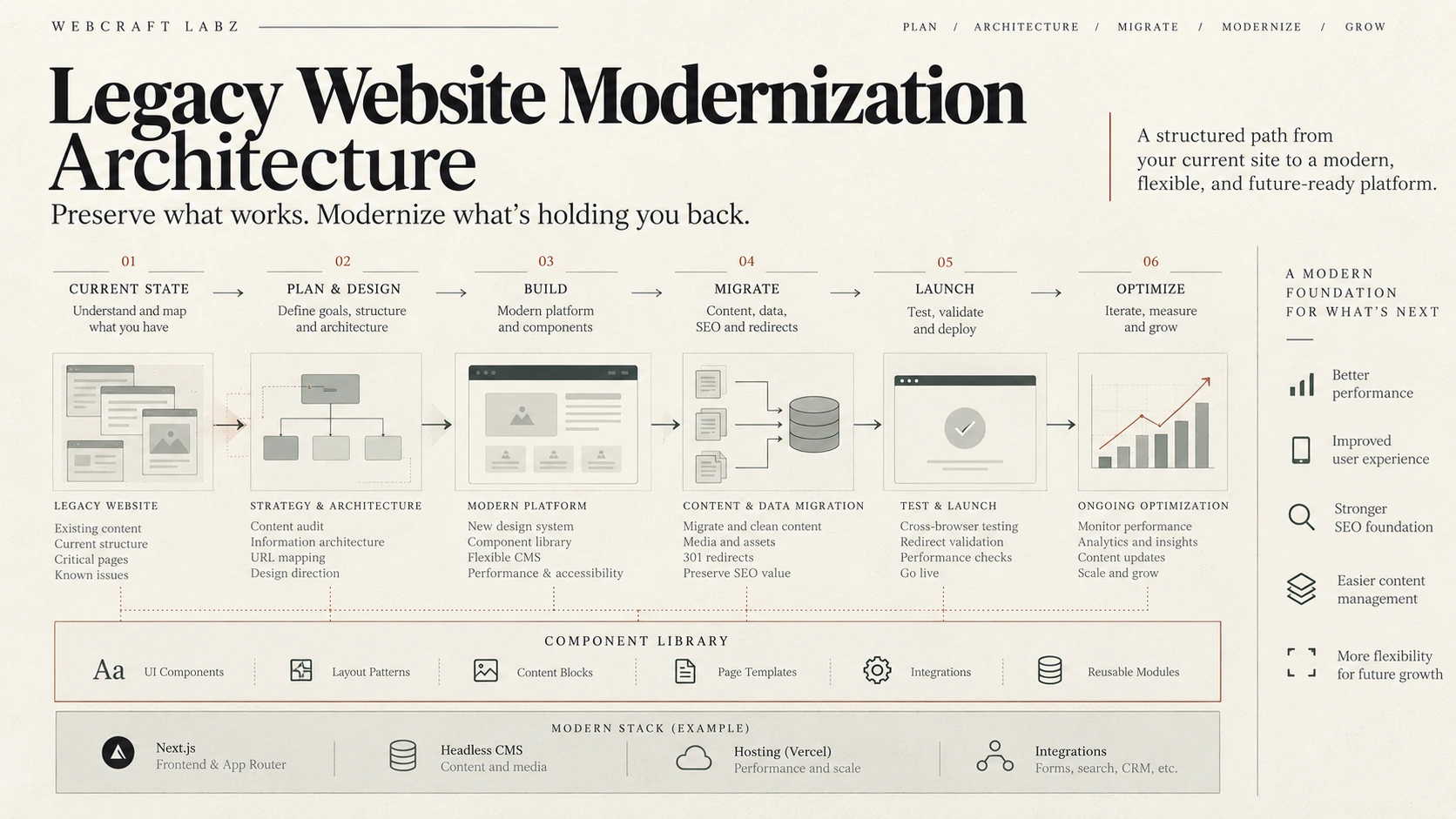
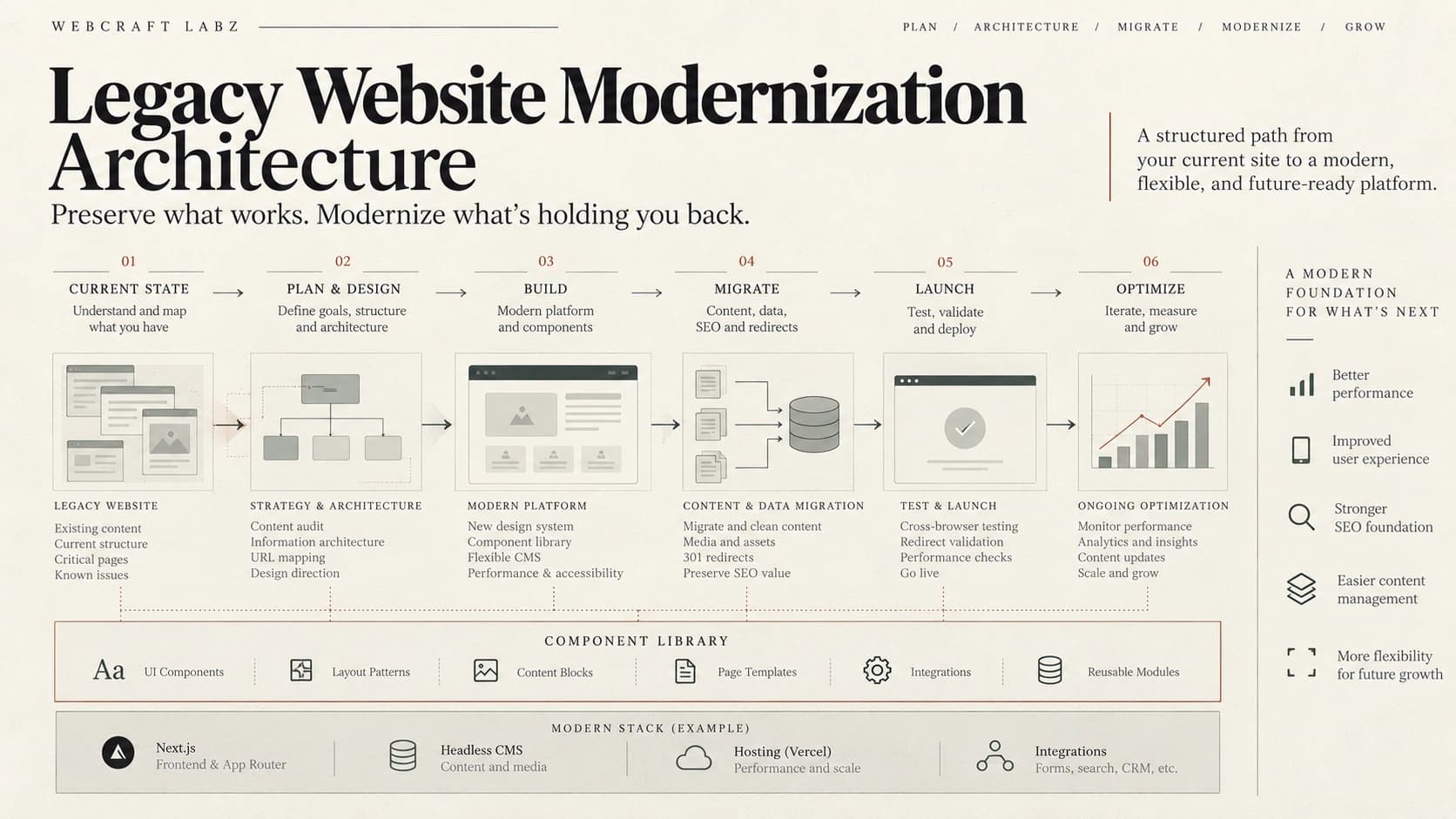
So modernization has to start before design. The diagram above is the delivery shape a project takes; the decisions inside it are what we break into seven phases.
The Modernization Framework
Timeline
01
Inventory
Find out what actually exists: every URL, document, form, and integration.
02
Dependency Mapping
Trace what the website is wired into, and what breaks if it changes.
03
Preservation Plan
Decide what has earned the right to survive the transition.
04
Decommission Plan
Decide what gets retired, and retire it on purpose.
05
Architecture Redesign
Rebuild the structure around how the organization works today.
06
Migration Engineering
Move the history across without losing rankings, data, or users.
07
Future-Proofing
Make the next change cheaper than this one was.
Inventory
First, Understand What You Already Have
Knowing what's actually on an old site sounds simple until you look. A company that believes it has a 40-page website may find that search engines have indexed 300 URLs. Some are outdated, some still pull steady traffic, and some exist only because an old CMS generated them automatically.
What the team thinks it has
- About 40 pages
- A contact form
- A blog nobody updates
What a crawl actually finds
- Hundreds of indexed URLs
- PDFs earning backlinks
- Forgotten campaign landing pages
- Duplicate service pages
- Old posts still pulling search traffic
The first step is a digital inventory:
- ✓Crawl the site and map every URL
- ✓Pull traffic and backlink data for each page
- ✓Review analytics to see what users actually visit
- ✓Document every form and integration, and where its data goes
- ✓Understand how content is currently created and managed
The point isn't just to catalog pages. It's to find out which parts of the existing site have value, because some of the most valuable assets on an aging website are invisible to the people rebuilding it.
Dependency Mapping
Find Out What the Website Is Wired Into
Older sites tend to get tangled with everything around them. A form writes straight into a database, a plugin runs membership, the site stores customer records, scheduling lives inside the CMS. Eventually the website becomes hard to change because everything depends on everything else.
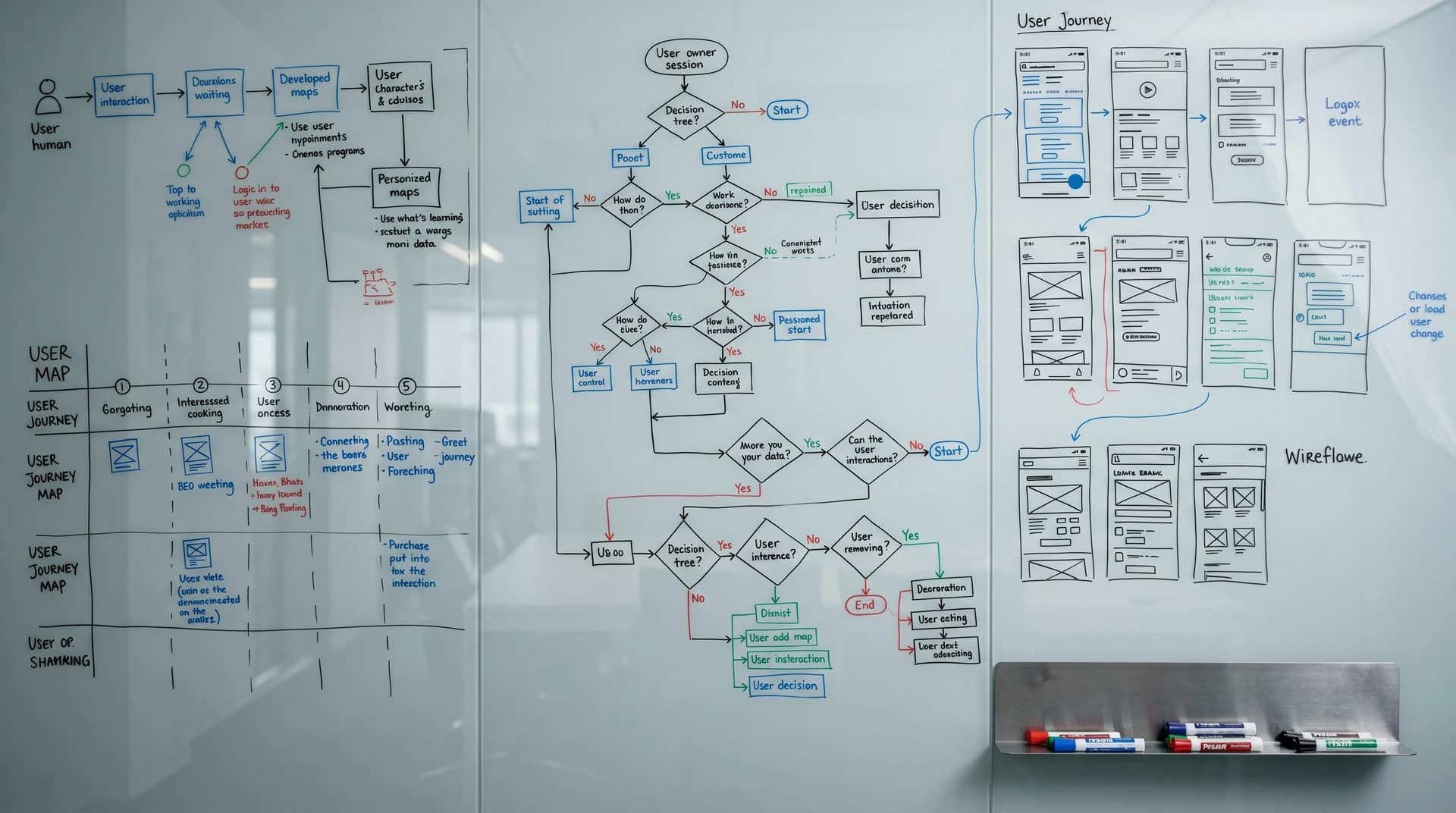
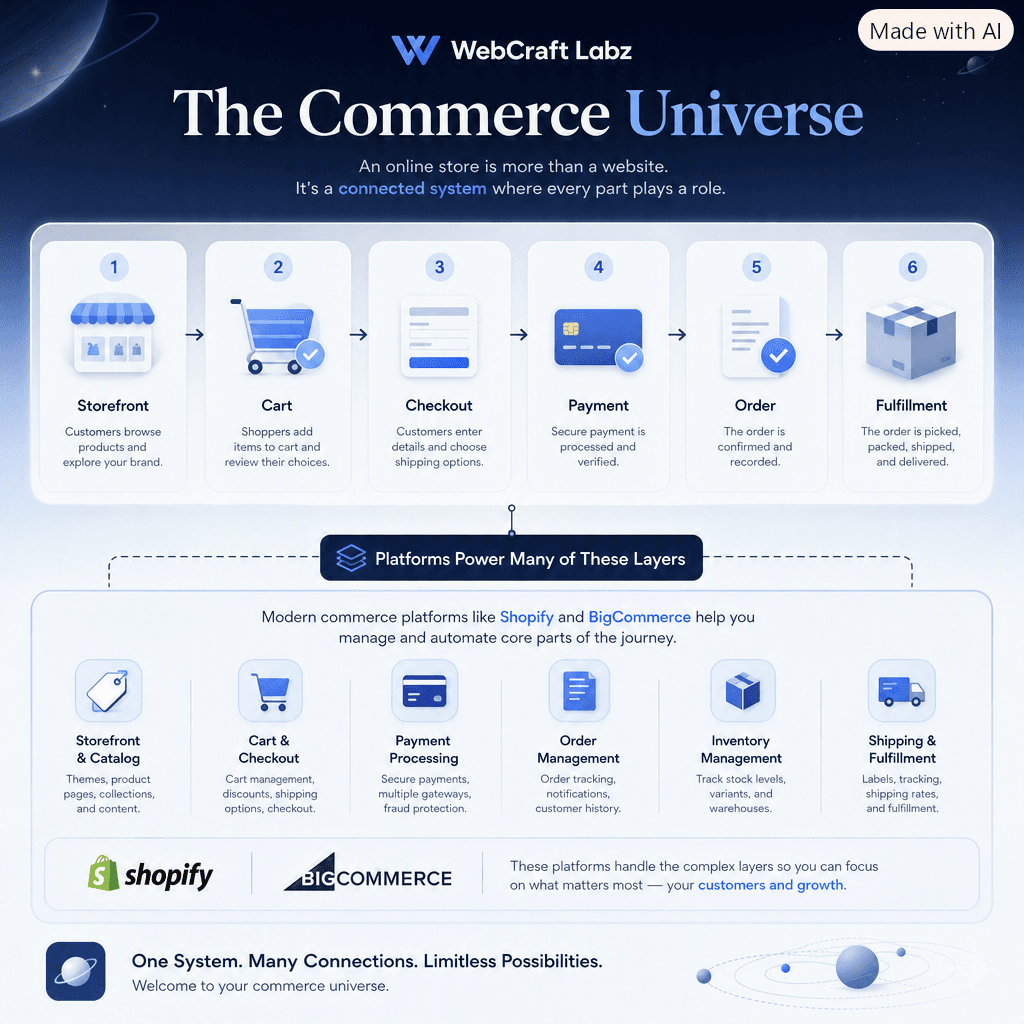
Mapping those dependencies tells you what a rebuild will actually touch. It also points to the target state, where each job lives in the system built for it and the website becomes one interface that connects them. The discipline for that first step has its own method — System Archaeology is the six-stage approach to mapping what a business actually runs on before replacing any of it.
Tangled
- Forms write directly to a database
- A plugin controls membership
- Customer data lives in the CMS
- Scheduling is bolted onto the site
Separated
- Customer data lives in a CRM
- Transactions run through a commerce platform
- Bookings live in a scheduling system
- Content lives in a CMS, and the site connects them
That separation means the company can redesign the site without rebuilding its operations, or swap out one service without replacing everything.
If the mapping turns up more logic than content — workflows, records, permissions, state — the project may have stopped being a website project some time ago. When Your Website Becomes Software covers where that boundary actually sits.
Preservation Plan
Preserve What Already Works
One of the easiest ways to damage a site during a rebuild is to treat the old one as disposable. A page can look terrible and still rank well. A strange URL might have dozens of backlinks. A clunky form might feed a workflow the sales team depends on every day.
So modernization is partly an exercise in preservation. For search visibility, that means keeping important URLs where possible, mapping redirects deliberately when they must change, reviewing metadata rather than overwriting it, recreating structured data, and making sure internal links and external backlinks still land somewhere meaningful.
Decommission Plan
Then Decide What Shouldn't Survive
Preservation has a mirror image. Legacy sites carry plenty of debris: outdated services, duplicate pages, obsolete scripts, unused plugins, abandoned integrations, old tracking code, broken forms, and unsupported libraries. Keeping all of it simply because it exists turns the new site into an expensive container for old problems.
This is where judgment comes in. Which content still serves users? Which functionality supports the business, and which processes survive only because "that's how we've always done it"?
Decommissioning is a plan, not a deletion spree. Every retired URL still needs a redirect decision, and every removed integration needs someone to confirm nothing downstream depended on it.
The goal isn't to recreate the old site more elegantly. It's to build a better system.
Architecture Redesign
The Site Has Outgrown Its Architecture
Many legacy websites were built for a much smaller business. The company that once offered four services now offers twenty. The site that once spoke to customers now has to serve partners, investors, employees, vendors, and the public. What started as a digital brochure now needs scheduling, payments, portals, search, CRM integration, and support.
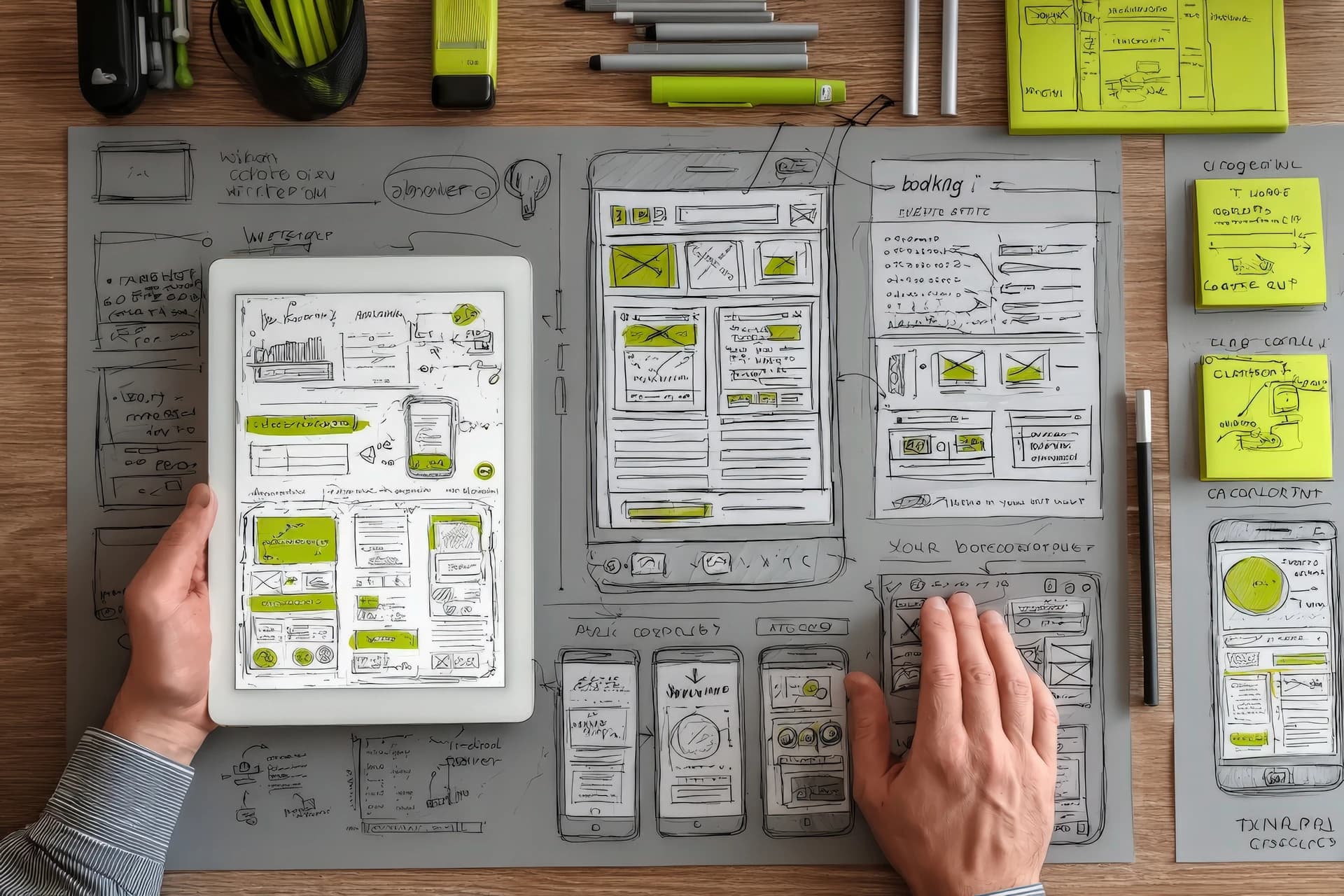
At some point, adding another page stops solving anything and the information architecture itself has to change. Navigation should reflect how people think about the organization today, content needs clear hierarchy, and users need paths through the site instead of a giant menu of destinations.
The question shifts from "what pages should we design?" to "how should this organization's information actually work?"
Content Is Infrastructure
A common mistake is treating content as something poured into the site once the design is finished. On complex sites, content determines structure: templates, navigation, search, filtering, and how information relates. A university's hundreds of programs, a nonprofit's library of resources, or a company's product catalog aren't really pages. They're data.
Structured content models let that data be reused instead of copied. A staff member can exist once in the CMS and appear on a department page, an article, an event, and a leadership directory. A location record can feed a service page, contact details, a map, and schema markup. The architecture behind the content matters as much as the layout around it. Data-centric architecture is the same idea applied one level up, to the systems a business runs rather than the pages it publishes.
Mobile Is Not a Smaller Desktop
Plenty of older sites technically work on phones without having been designed for them. Early responsive design meant squeezing a desktop layout onto a smaller screen. Modern mobile design starts from how people actually behave: they tap instead of hover, scan instead of study, and expect the primary action right in front of them. They might be standing in a parking lot looking for a phone number, or filling out a form with one thumb.
Accessibility Belongs in the Architecture
Accessibility can't be bolted on at the end. Color contrast, keyboard navigation, semantic HTML, heading structure, form labels, focus states, alt text, error messaging, document accessibility, and screen-reader behavior all need to be part of the system from the start. The payoff goes beyond users of assistive technology, since clearer structure almost always produces clearer interfaces for everyone.
Performance Is Part of the Product
Older sites accumulate weight: oversized images, unused JavaScript, stale tracking scripts, third-party widgets, multiple font libraries, and plugins loading assets on every page. What felt fast on a desktop connection a decade ago now drags on a phone. A rebuild is the chance to reset that debt by optimizing images, trimming scripts, caching content, and loading assets only when needed. A fast site simply feels more competent.
Migration Engineering
Migration Is Where It Gets Dangerous
Building a new website is often easier than moving an old one. Migration is the bridge between the two, and bridges deserve engineering.
- ✓Content moves with its images and relationships intact
- ✓Every important URL is mapped, and every redirect is tested
- ✓Metadata and structured data survive the move
- ✓Forms reach the correct destination
- ✓Analytics keep collecting without gaps or double-counting
- ✓Search engines can see what changed
- ✓Users don't hit broken bookmarks or missing resources
On larger sites, migration should be its own project, not the last checkbox before launch. The more history a site holds, the more carefully that history has to be translated.
You Don't Have to Rebuild Everything
Modernization doesn't always mean throwing out the whole stack. Sometimes the right move is incremental: redesign the frontend on the existing CMS, replace an outdated theme, reorganize navigation, introduce a headless layer gradually, or migrate content section by section while old and new systems coexist.
The best strategy isn't the most technically ambitious one. It's the one that reduces risk while making room for future change.
Future-Proofing
What Happens After Launch Matters Most
Many redesigns are optimized entirely around launch day. Then the architecture freezes, editors start working around its limits, developers patch problems, new services need custom pages, and the cycle starts over.
A better project asks how easily the site can change:
- ✓Can editors publish without a developer?
- ✓Can new service categories slot in cleanly?
- ✓Can integrations be replaced without a rebuild?
- ✓Can navigation evolve as the business does?
- ✓Can new technology be added without replacing the platform?
A website's lifespan depends less on how modern it looks at launch than on how gracefully it adapts afterward.
Modernization Is About Future Options
A modern website isn't just faster, cleaner, or prettier. It gives the organization options: to publish, integrate, automate, experiment, and replace technology that no longer works, all without rebuilding the foundation every few years.
Redesign
- Changes what people see
- Optimized for launch day
- Starts aging immediately
Modernization
- Changes what the organization can do
- Optimized for the next change
- Gets easier to evolve over time
Key takeaways
- Start with an inventory, not a mockup. The old site's value is mostly invisible.
- Map dependencies before touching anything the business runs on.
- Preserve deliberately and retire deliberately. Both need a plan.
- Treat content as data and let it drive the architecture.
- Engineer the migration as its own project.
- Judge the result by how easily the site can change next.
Build Something Better
Ideas deserve a better home than a generic blog.
WebCraft Labz builds fast, polished websites for businesses and creators who want their ideas to feel premium from the first scroll.
Start a ProjectContinue Reading