System Archaeology: How to Map What Your Business Actually Runs On
Most organizations run on more systems than anyone can name — old integrations, temporary spreadsheets that became permanent, and manual steps nobody documented. This is how to map what you already have before replacing any of it, and why that map usually decides whether modernization works.
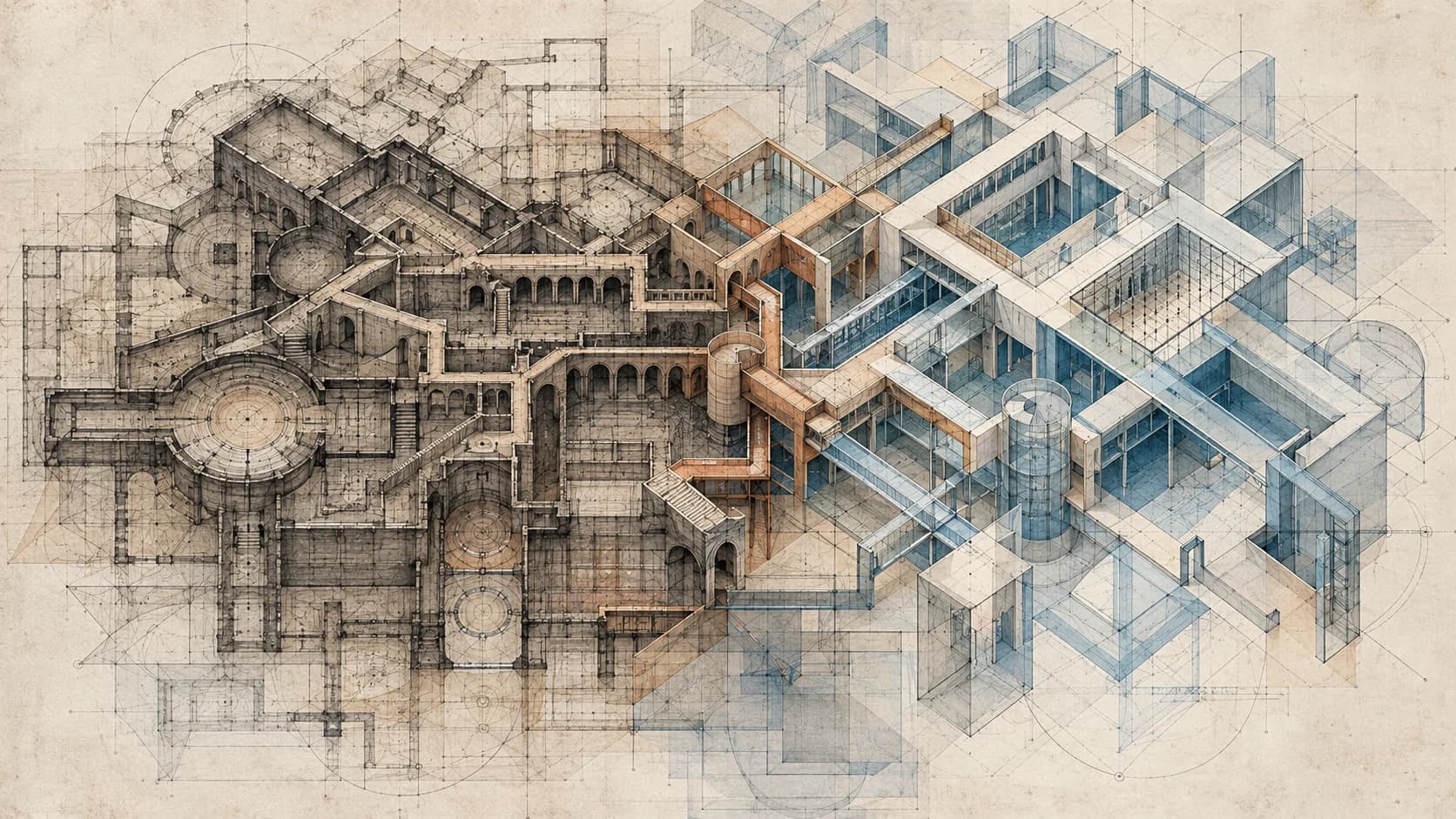
System Archaeology is the practice of uncovering the digital layers, dependencies, and operational workarounds buried inside an organization before trying to modernize them.
Most modernization projects begin with a picture of the future.
A new website. A better CRM. Cleaner dashboards. Automated workflows. AI assistants. Faster customer service. Better reporting.
The conversation usually starts with what the organization wants to build next.
It should probably start somewhere else.
Before asking what a business should become, somebody has to understand what it already runs on.
That sounds obvious until you look closely at how organizations actually operate.
A company may believe its customer workflow runs through a website and a CRM. Follow the process far enough, though, and you may discover that the website sends data through a third-party form service, the form triggers an email, an employee copies information into a spreadsheet, the spreadsheet feeds a weekly report, another system handles payments, and a Zapier automation quietly updates the CRM.
Someone built that automation three years ago. Nobody remembers who. The spreadsheet was supposed to be temporary. It is now business-critical. And the CRM field everyone assumed was authoritative is actually populated from another system nobody thought to mention.
This is not unusual. It is how digital organizations grow. And it creates a problem that is becoming increasingly important as businesses add more software, more automation, and now more artificial intelligence.
Modernization is not simply a design problem.
It is a reverse-engineering problem.
This article is about how to do that reverse engineering: the six stages of System Archaeology, and what each one tends to uncover.
I. The Myth of Modernization
Modernization is often presented as replacement.
Old website, new website. Old CRM, new CRM. Manual process, automated process. Legacy application, cloud application. Spreadsheet, dashboard. Human workflow, AI workflow.
The assumption is that the old thing can be identified, removed, and replaced by something better.
Real organizations rarely work that cleanly.
Systems accumulate. A website launched ten years ago may have been redesigned twice without replacing the database underneath it. A CRM added later may still depend on fields created for an older sales process. A payment platform may have been integrated by a contractor who left years ago. A spreadsheet may exist because the accounting software could not generate the report management wanted. A Slack notification may have been added because nobody trusted the CRM notifications. An automation may move customer data between three systems because none of them were originally designed to communicate.
Each decision made sense at the time. Together, they become something nobody intentionally designed.
That is the hidden challenge of modernization. The organization sees individual tools.
The modernization team has to see the system created by the relationships between those tools.
II. System Stratigraphy
Geologists use stratigraphy to study layers. Different layers of rock preserve evidence of different periods, events, and conditions. By examining them, you can reconstruct what happened over time.
Organizations develop something surprisingly similar.
System Stratigraphy is the accumulated record created as an organization adds software, databases, integrations, processes, workarounds, policies, and human knowledge over time.
A simplified technology history might look like this:
Timeline
2012
Company website
The original front door.
2014
CRM
Added on top of, not in place of, the website.
2016
Email marketing
Another platform, another data model.
2017
Customer spreadsheet
Meant to be temporary. It wasn't.
2018
Online payments
Integrated by a contractor who has since moved on.
2019
Scheduling software
Solves one team's problem, creates a new sync point.
2021
Zapier automations
Quietly stitches everything else together.
2022
Internal dashboard
Built on exports from systems above it.
2024
Headless CMS
A newer layer, same old dependencies underneath.
2026
AI assistant
The newest layer, sitting on top of all of it.
The important part is what did not happen. The 2014 system did not necessarily replace the 2012 system. The 2018 system did not eliminate the spreadsheet. The 2022 dashboard may still depend on exports from the 2016 platform. The AI assistant arriving in 2026 may simply become another layer sitting on top of everything else.
Technology stacks are often shown as neat diagrams. Reality looks more geological.
III. Accidental Architecture
Those accumulated layers eventually form what we can call Accidental Architecture: infrastructure that functions as one system even though nobody ever designed it as one.
It rarely results from one terrible decision. Usually, it comes from hundreds of reasonable ones.
Marketing needed a landing-page tool. Sales needed a CRM. Finance needed different reporting. Operations needed scheduling. Customer support needed ticketing. Management needed dashboards. Somebody needed two platforms to exchange information, so an automation was created. Another department needed the same information in a slightly different format, so a spreadsheet appeared. A vendor changed its API. A contractor patched the integration. An employee developed a workaround. Then that employee left.
Nothing about this process is irrational.
This is how organizations end up with digital infrastructure that is simultaneously functional, valuable, confusing, and fragile.
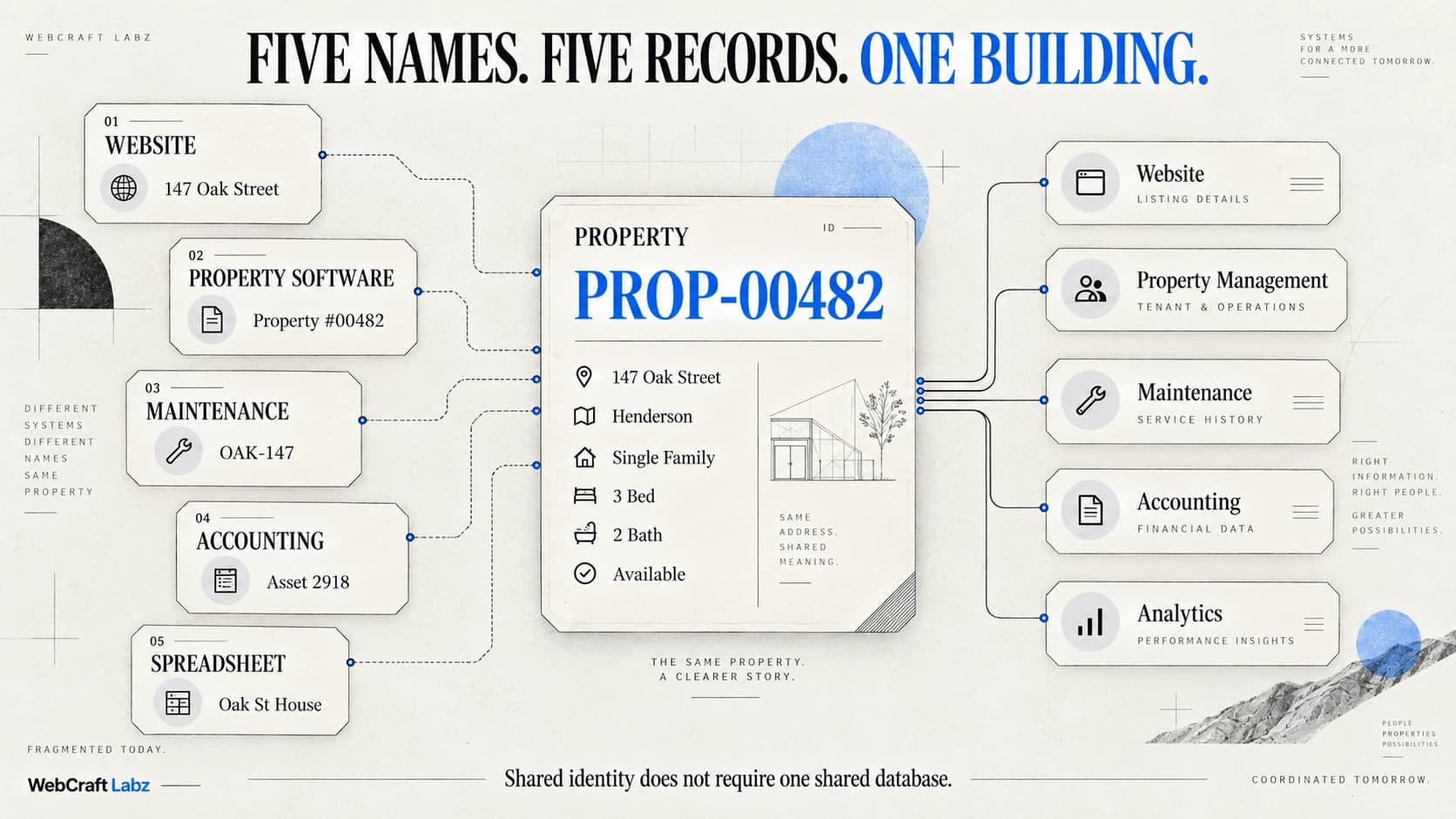
Mapping that landscape tells you where the copies are. It does not tell you which one the business should trust, and that is a separate architectural question: the same customer, job, or invoice now exists in several systems, each holding a slightly different version of it. Your Software Stack Is Quietly Creating Five Versions of Your Business takes up that problem directly.
IV. The Architecture Nobody Can See
One reason modernization projects become difficult is that much of the actual architecture is invisible.
The obvious systems are easy to identify: website, CRM, CMS, accounting platform, payment processor, scheduling software.
The less obvious systems are often more dangerous: spreadsheets, shared inboxes, CSV exports, browser bookmarks, copied-and-pasted reports, undocumented APIs, old scripts, Zapier workflows, Make scenarios, cron jobs, shared drives, naming conventions, manual approvals, employee checklists, institutional memory.
What the diagram shows
- Website
- CRM
- Staff
What's actually happening
- Website
- Form service
- Employee
- Spreadsheet
- CRM
- Accounting system
- Manual approval
- Customer
That second version is the system. The first version is merely the diagram everyone remembers. This distinction matters because organizations often modernize the diagram rather than the reality.
V. Why Reverse Engineering Comes First
Imagine replacing the website in that workflow.
From a design perspective, everything might go perfectly. The new site is faster. The interface is cleaner. Accessibility improves. The mobile experience is dramatically better.
Then leads stop appearing in a staff spreadsheet. Marketing attribution breaks. A notification disappears. An old URL used by an external partner begins returning a 404. A payment confirmation no longer reaches the employee responsible for fulfillment.
The redesign did not fail because the new website was poorly built. It failed because the old website was doing jobs nobody documented.
The website was not merely a website. It was a load-bearing layer. Legacy systems frequently become load-bearing long after anyone remembers why.
That is why reverse engineering must come before replacement. The first question should not be "What technology should we use next?" It should be "What happens today?" Then: "What depends on it?" Then: "Why?"
Only after answering those questions does the future architecture become visible.
VI. System Archaeology
This is the practice we call System Archaeology: the disciplined process of uncovering how an organization's digital systems, data, workflows, integrations, and human processes actually fit together before changing them.
It treats existing infrastructure as evidence. Every odd database field has a history. Every manual workaround exists for a reason. Every integration represents a dependency. Every duplicate spreadsheet tells you something about what the official system failed to provide.
The goal is not to preserve everything simply because it exists. The goal is to understand why it exists before deciding whether it should survive. This same discipline also informs our content, data, and platform systems work — the six stages below are the method.
Stage One
Discovery
Start with the people. Architecture diagrams rarely tell the entire story because many important processes exist outside official systems.
Talk to the people performing the work. How does a lead become a customer? How does an invoice get approved? What happens when something goes wrong? Which system do employees trust? Which system are they required to use? Those are not always the same answer.
Ask what happens on normal days. Then ask what happens on unusual days. Exceptions expose architecture. A workflow that appears simple during the happy path may depend on five manual interventions once something unexpected happens.
Discovery is where the difference between the documented organization and the functioning organization begins to appear.
Stage Two
Stratigraphy
Next, map the layers. Identify applications, databases, websites, CMS platforms, SaaS tools, APIs, automations, spreadsheets, manual workflows, data exports, authentication systems, and reporting pipelines.
But do not stop with a list. Ask when each layer appeared and why. Historical context explains strange architecture surprisingly often. That mysterious spreadsheet might exist because the CRM could not perform a calculation in 2018. The duplicate customer database may have been created during a migration that was never fully completed. An old API may remain because a vendor system still calls it.
The layer is not just technical. It is historical. That history is the stratigraphy of the organization.
Stage Three
Dependency Analysis
Once the layers are visible, trace the dependencies. What reads from this database? What writes to it? What system receives this webhook? What process depends on this spreadsheet? What happens if this API stops responding? What breaks if a field name changes? What external partners still use this endpoint?
Dependency analysis reveals the difference between obsolete-looking software and genuinely obsolete software. An old system can look irrelevant while quietly supporting five newer ones. This is where teams often discover their digital load-bearing beams.
Stage Four
Workaround Mapping
One of the most important principles of System Archaeology is this: the real system includes the workarounds.
Employees adapt to bad software. They export data. They create templates. They maintain private spreadsheets. They rename files according to unwritten rules. They send themselves reminders. They copy values between applications. They invent procedures that never appear in documentation.
Those behaviors are often dismissed as inefficiencies. But before removing them, ask why they exist. A workaround is frequently a user-generated patch for a missing system capability. Delete the workaround without fixing the underlying problem and people will create another one.
Modernization should not simply automate existing workarounds either. Sometimes the right answer is to eliminate the reason the workaround exists.
Stage Five
Risk Surface Identification
Now identify where the architecture is fragile. Typical risks include single points of failure, unsupported software, expired dependencies, undocumented integrations, duplicated data, inconsistent sources of truth, manual processes with no backup owner, credentials owned by former employees, APIs with no monitoring, accessibility problems, security gaps, brittle automations, and business logic hidden inside spreadsheets.
Not every old system is dangerous. Not every new system is better. The objective is to distinguish age from risk. A ten-year-old database that performs one job reliably may be less urgent than a six-month-old automation responsible for moving revenue-critical information between four platforms with no monitoring.
System Archaeology gives modernization teams a basis for deciding what actually deserves attention.
Stage Six
The Modernization Blueprint
Only now should the organization design the future state. At this point, the team can make informed decisions about what should be retained, replaced, consolidated, integrated, documented, automated, migrated, or retired. This is also the point where the build-versus-buy question can finally be answered honestly, because the requirements are now based on what the organization actually does rather than what it believes it does.
Some systems should disappear. Others should remain. Some workflows should be automated. Others should be redesigned entirely. Some data should move. Other data should stay where it is and be accessed through a better interface. Sorting a real system into those outcomes is its own decision, and Legacy Systems: What to Keep, What to Replace, What to Retire works through it one outcome at a time.
Modernization becomes much easier once the existing system stops being invisible.
The Method, in Six Words
- Observe — talk to the people doing the work.
- Inventory — map every layer, old and new.
- Trace — follow what depends on what.
- Validate — find out why each workaround exists.
- Assess Risk — separate age from fragility.
- Redesign — only now, decide what the future looks like.
VII. Why the Website Is Often Only the Front Door
This has important implications for website work.
Businesses frequently approach a website redesign as a visual project. And visual quality matters. But modern websites increasingly sit at the edge of much larger systems.
Behind a single button might be authentication, customer records, scheduling, payments, CRM updates, notifications, document generation, analytics, inventory, support workflows, and internal approvals.
The interface may be the visible layer. The value is often underneath it.
A modern website should therefore be considered part of the organization's digital infrastructure, not simply a collection of pages. Sometimes the correct modernization project really is a new website. Sometimes the website is merely where the underlying systems problem became visible. Where exactly that line falls — when a website stops presenting information and starts maintaining state, applying rules, and owning data — is its own question, and When Your Website Becomes Software takes it up directly.
When the project genuinely is the website, the same archaeology applies one layer up: what website modernization actually requires is the website-side counterpart to this method, covering inventory, dependencies, preservation and migration for the site itself.
VIII. The Spreadsheet Nobody Talks About
There is a recurring character in almost every digital ecosystem. The spreadsheet.
It is easy to laugh at businesses running important processes through Excel or Google Sheets. That misses the point. Spreadsheets thrive because they are flexible. When formal software cannot accommodate a workflow, somebody can create a spreadsheet in twenty minutes.
That flexibility makes spreadsheets incredibly useful. It also makes them excellent hiding places for business logic. A spreadsheet may contain pricing formulas, customer status, inventory rules, project schedules, staffing decisions, approval logic, financial forecasts, and reporting transformations.
Nobody calls it software. But operationally, it is. And sometimes the person who built it is effectively the only maintainer.
System Archaeology treats that spreadsheet seriously. It asks what job the spreadsheet is performing and whether that job belongs in the future architecture.
IX. The Source-of-Truth Problem
Another pattern appears repeatedly during modernization: nobody agrees where the truth lives.
Ask: what is the customer's current address? The CRM has one answer. The accounting system has another. The customer portal has another. A spreadsheet has another. The customer updated their address six months ago. Which one wins?
Without clear ownership, synchronization becomes guesswork. That is why modernization often involves identifying systems of record or sources of truth.
The goal is not necessarily to put everything into one giant database. It is to establish ownership. Customer identity may belong to one system. Financial records to another. Content to another. Inventory to another.
The architecture becomes easier to understand when every important piece of information has an authoritative home. Otherwise, integrations simply move uncertainty around faster.
X. The SaaS Layer and the Maintenance Economy
The SaaS revolution made powerful software available to almost every organization. That was enormously valuable. It also created a new architectural problem: adding software became easier than removing it.
Need forms? Add a platform. Need scheduling, email automation, analytics, customer support, an internal dashboard? Add another, and another, and another. The result can be dozens or hundreds of systems, each solving a legitimate problem, connected by another API, another credential, another sync job, another data model, another billing relationship, another failure mode.
This does not mean SaaS is bad. It means SaaS has stratigraphy too — and every layer it adds becomes something somebody eventually has to maintain.
For decades, the technology conversation was about digitization: putting the business online, moving records into software, automating workflows. That work isn't finished, but another phase has emerged alongside it. We digitized enormous portions of the economy. Now somebody has to maintain all of it — updates, monitoring, security, integration maintenance, data governance, eventual replacement.
The more systems an organization adopts, the larger that maintenance surface becomes. AI may accelerate the process by making it easier to create even more software. The first wave of digitization was about putting more activity into software. The next wave may be about making all of that software coherent.
XI. AI Is Becoming the Newest Layer
Artificial intelligence adds something new to this picture. AI can potentially help organizations understand and operate complex systems. It can search documents, summarize information, generate reports, write integration code, assist employees, automate repetitive decisions, and act as an interface across multiple platforms.
But AI does not automatically remove the architecture underneath it. Often, it sits on top. An AI assistant may pull data from a CRM, a document store, an internal API, a support platform, and a database. That can be powerful. It can also make underlying complexity less visible.
The organization may feel simpler because employees now interact with one conversational interface. Underneath that interface, the number of dependencies may have increased.
That distinction will matter. It's also the line between AI automation that reduces the dependency graph and AI automation that just adds to it. If AI makes software dramatically easier to create, organizations may generate more internal tools, automations, scripts, agents, dashboards, and integrations than ever before. Software creation becomes cheaper. Understanding the resulting software ecosystem may become more expensive. That shift — what happens to software development itself as generation gets cheaper than comprehension — is the same pressure viewed from the engineering side.
The next bottleneck may not be building systems. It may be maintaining, integrating, governing, and understanding them.
XII. Modernization Without Archaeology
Without System Archaeology, modernization teams are forced to make assumptions. Those assumptions become risk.
They may migrate incomplete data. Rebuild obsolete workflows. Remove something that appeared unused. Automate a process that should have been eliminated. Connect new software to the wrong source of truth. Preserve organizational dysfunction inside a cleaner interface.
That is how companies end up with what might be called legacy systems wearing modern clothes. The technology changed. The architecture did not. Sometimes the organization ends up with even more complexity because the new system was added without removing the old one.
Another layer gets deposited. The stratigraphy grows.
XIII. Modernization as Reduction
One of the more interesting conclusions from this way of thinking is that modernization should not always mean adding technology.
Sometimes the most modern architecture is the one with fewer moving pieces. Remove three redundant tools. Eliminate an export. Replace two automations with one API. Give one system ownership of customer data. Retire the spreadsheet. Document the workflow. Delete the dashboard nobody uses.
The technology industry naturally celebrates creation. New platform. New tool. New feature. New AI model. But mature modernization often involves subtraction.
A good architecture does not merely contain powerful systems. It contains understandable relationships between them.
XIV. From Accidental Architecture to Intentional Systems
The objective of System Archaeology is not nostalgia. It is not about preserving legacy systems because they are old. And it is not about producing beautiful diagrams nobody looks at again.
The goal is to transform accidental architecture into intentional architecture. That means knowing what each system does, why it exists, what depends on it, where important data lives, who owns each workflow, which integrations matter, what can safely disappear, and what should be modernized first.
Once that knowledge exists, technology decisions improve dramatically. Teams can modernize incrementally instead of gambling on massive replacements. They can automate the right processes. They can build AI systems on trustworthy data. They can reduce duplication. They can replace fragile dependencies before those dependencies become failures.
Seeing the architecture is not the same as redesigning the organization that produced it. Those accumulated layers were shaped by approval chains, department boundaries, and habits that outlived their reasons — and Your Company Was Designed for a World That No Longer Exists takes up that larger argument, where modernization becomes a question about how work moves rather than only which software runs.
Most importantly, they can finally see the digital organization they have actually built.
XV. A Vocabulary for the Problem
It helps to give these ideas names.
The Vocabulary
- System Stratigraphy — the accumulated record of software, data, integrations, workflows, and organizational decisions built over time.
- Accidental Architecture — the working digital ecosystem nobody intentionally designed as a complete system.
- System Archaeology — the method: excavating, tracing, and understanding those layers before attempting modernization.
- Modernization — not replacing old things because they look old, and not adding new technology because it looks impressive, but deliberately turning an accumulated system into an intentional one.
Conclusion
Before you modernize a business, you have to understand what it already runs on.
Not what the architecture diagram says. Not what the software inventory says. Not what management remembers.
What actually happens when a customer submits a form. Where the information travels. Which system owns it. What automation touches it. Which spreadsheet depends on it. Which employee knows the undocumented step. Which old application is still carrying a piece of the organization nobody realized was load-bearing.
Every organization leaves a digital record of how it evolved. That record is its System Stratigraphy. Over time, those layers become Accidental Architecture. And before that architecture can be responsibly modernized, somebody has to excavate it. That is System Archaeology.
Modernization begins when you can finally see the whole system.
Build Something Better
Ideas deserve a better home than a generic blog.
WebCraft Labz builds fast, polished websites for businesses and creators who want their ideas to feel premium from the first scroll.
Start a ProjectContinue Reading